A booking website that wins your garage more jobs.
Workington · Whitehaven · Cockermouth · Maryport · and nearby towns
Customers book and pay online, approve extra work from a photo on their phone, and pay you through a link you send by WhatsApp. You run it all from your phone.
Our Growth Website package is £850. Local garages get the garage edition for
20 spots · £10 a month locked in for founding garages
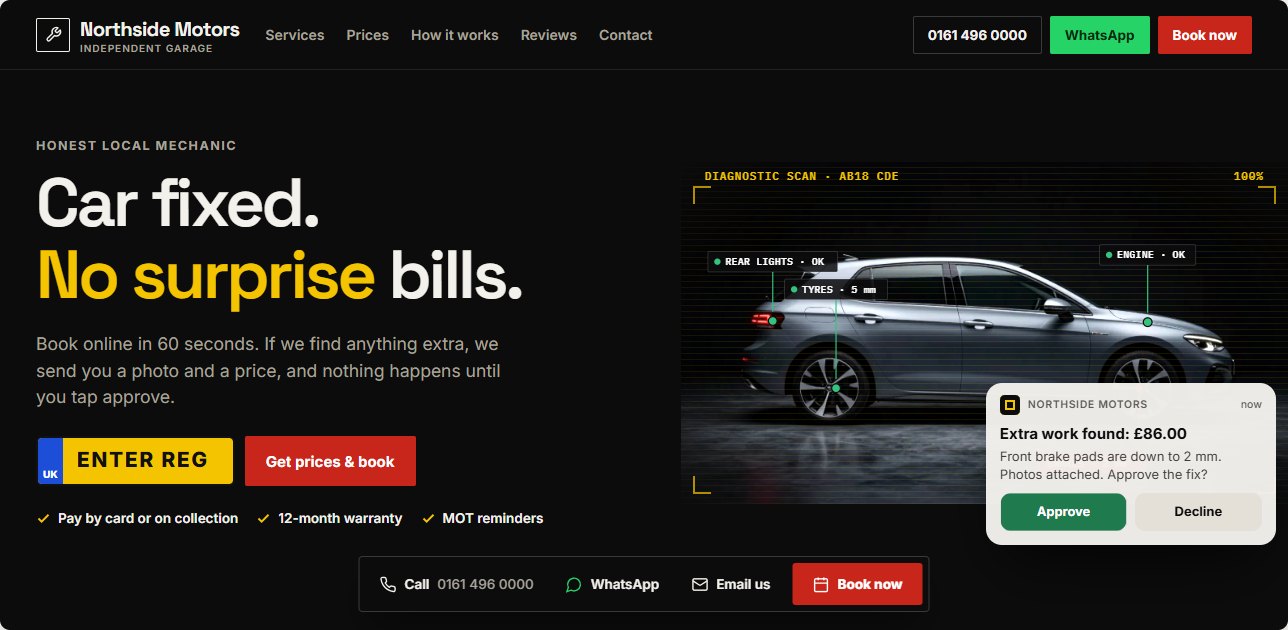
Everything your customers need, on their phone
Design preview with a sample garage called Northside Motors. We change the name, colours, services, prices and photos to match your garage.
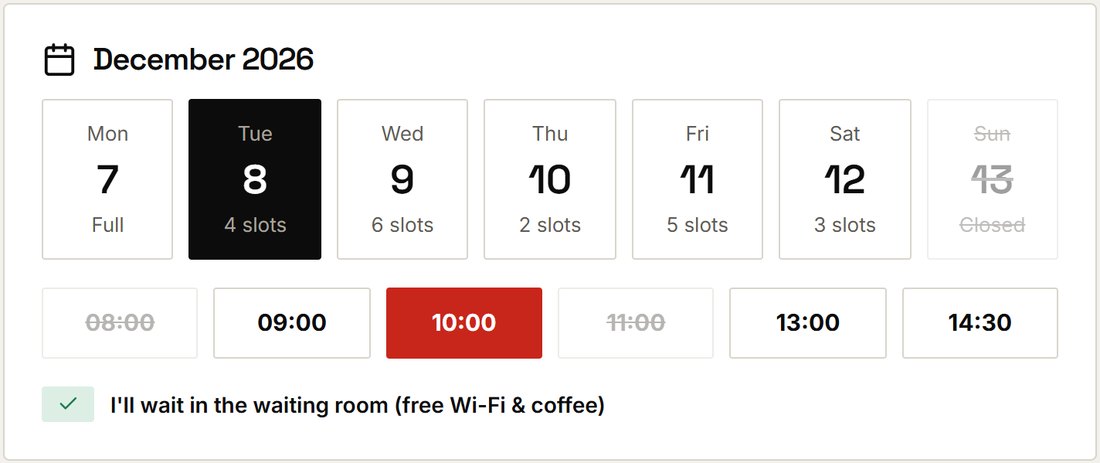
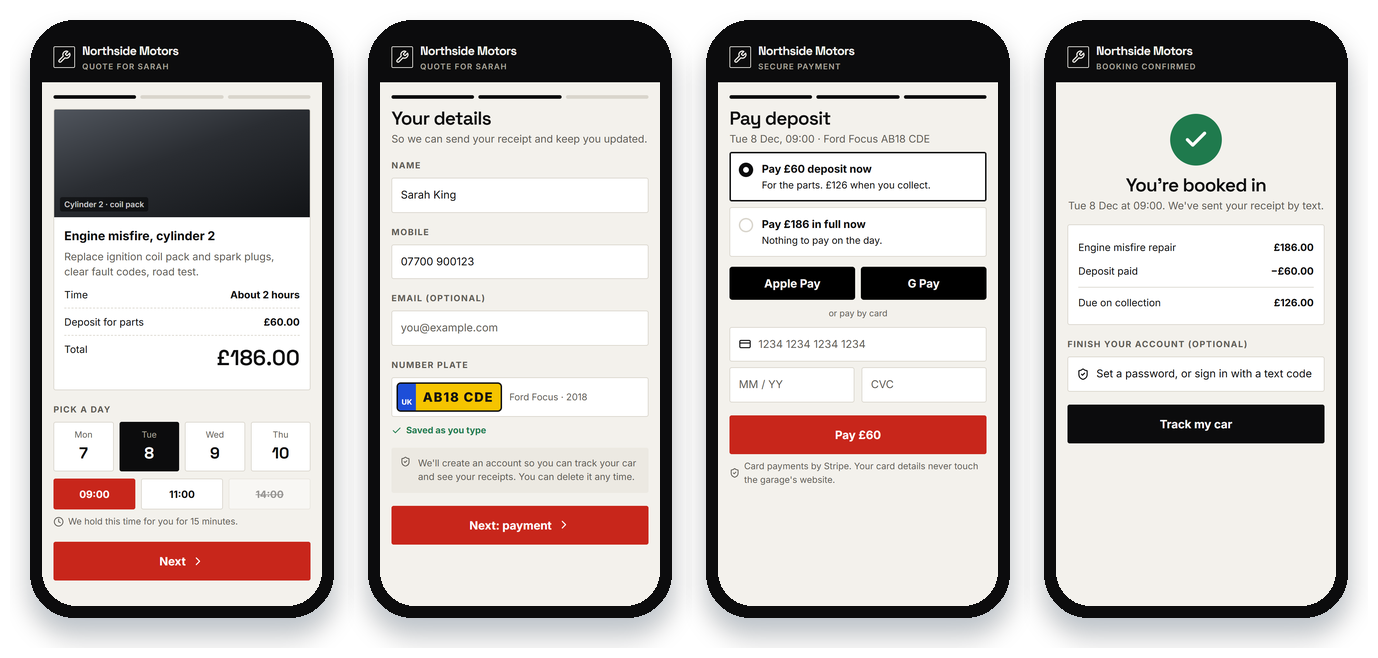
Booked in 60 seconds, day or night
Customers pick a service, type their number plate and choose a free time. The car’s make, model and MOT date fill in by themselves, so there is less typing and fewer mistakes.
- ✓Live free slots, so no double bookings
- ✓Number plate lookup for the car details
- ✓Customers can say they will wait or leave the car

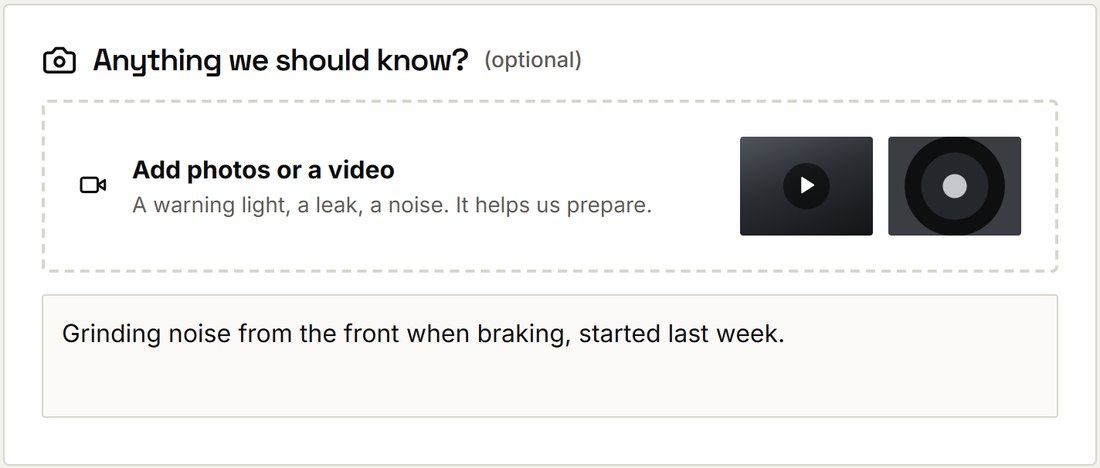
Photos and videos before they arrive
When they book, customers can add a photo of the warning light or a short video of the noise. You know what is coming before the car is in.
- ✓Photos and videos attached to the booking
- ✓A note box for anything else
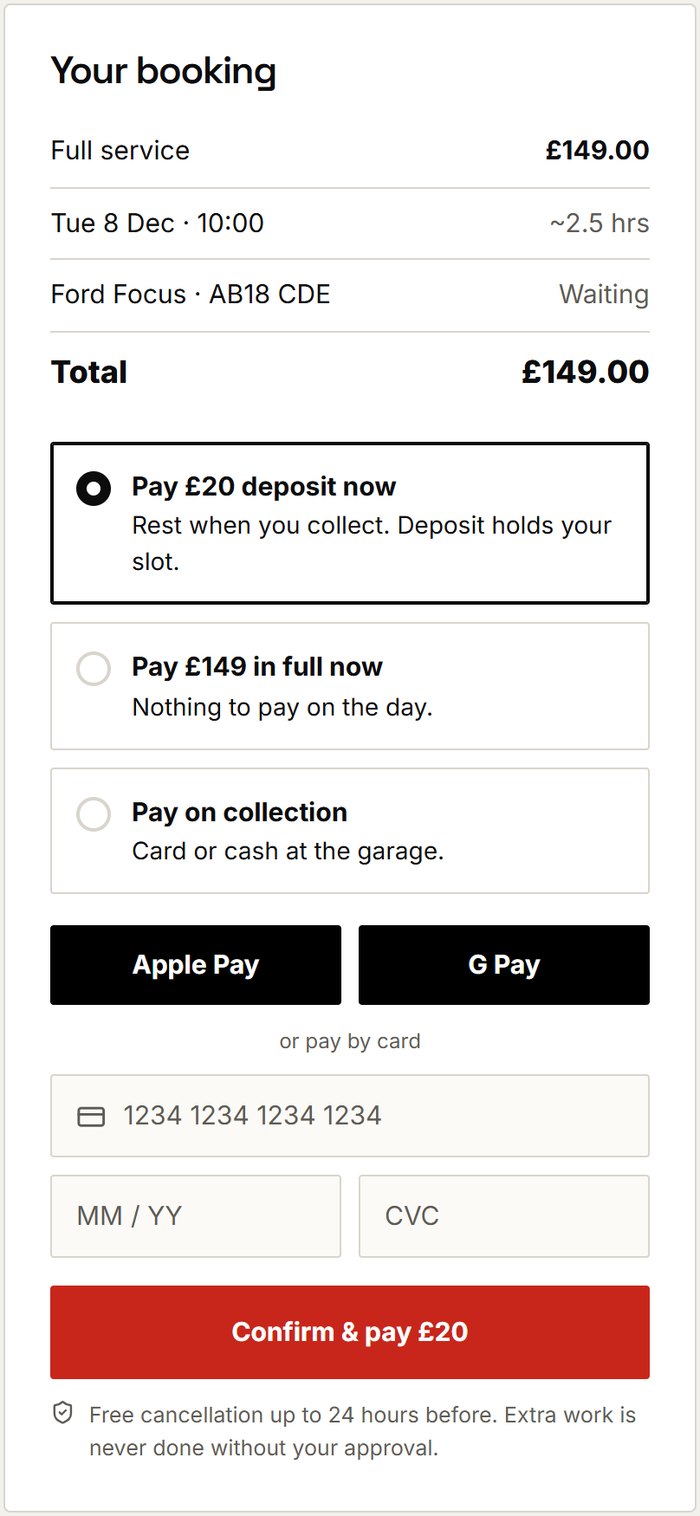
Deposits for parts, or pay in full
Customers can pay a deposit to cover parts, pay in full, or choose to pay when they collect. Apple Pay and Google Pay work too. Card payments go through Stripe straight to your bank.
- ✓Deposit, full payment or pay on collection
- ✓Apple Pay, Google Pay and cards
- ✓Card details never touch your website
Nothing extra without their OK
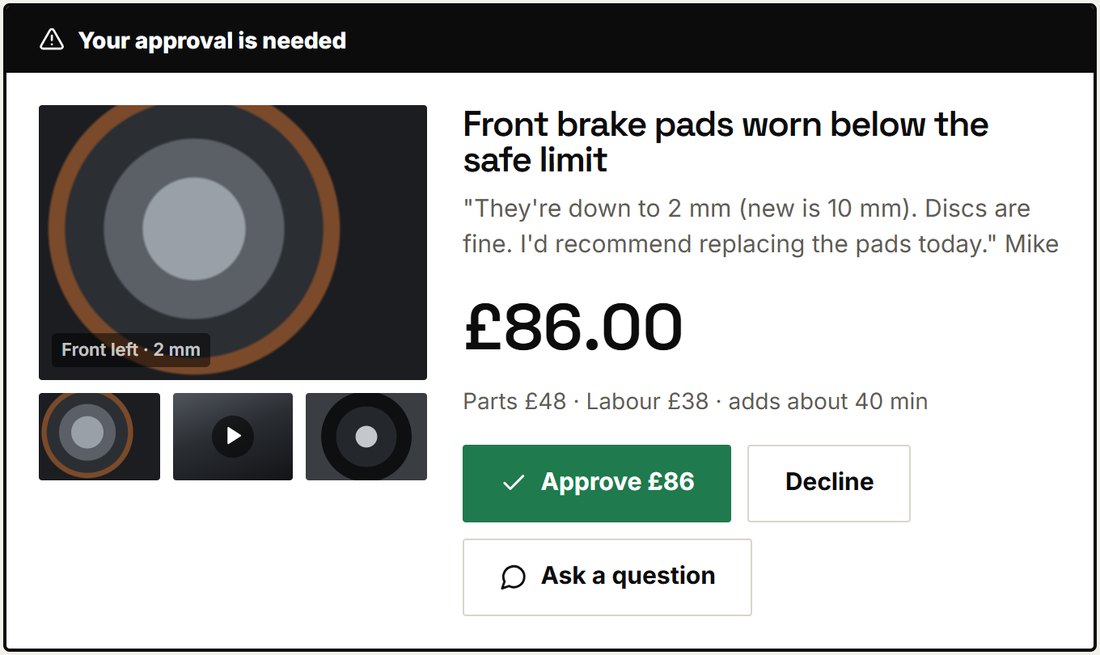
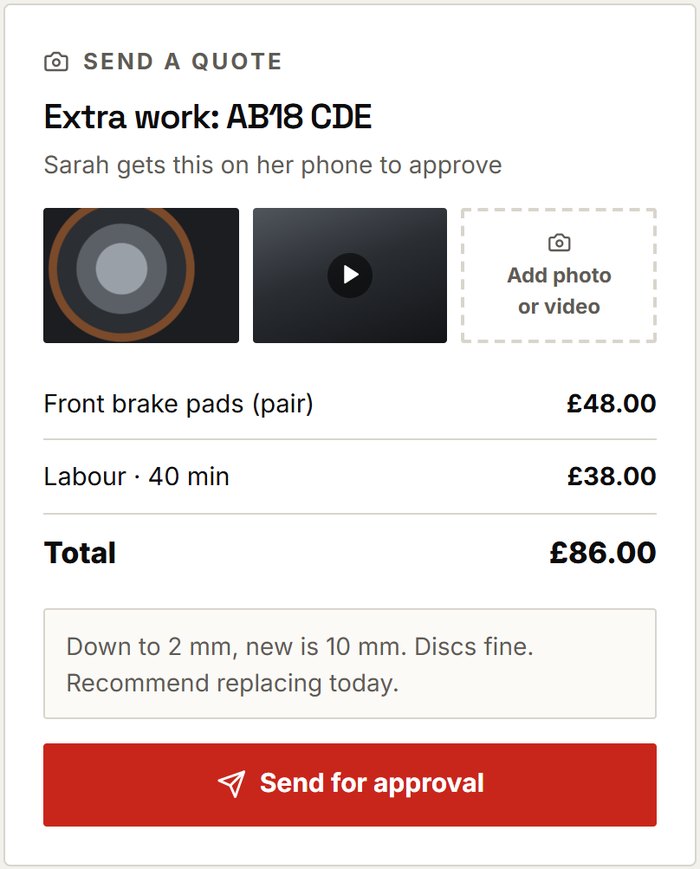
Found worn brake pads or a leaking hose? Send a photo and a price from your phone. The customer sees exactly what you see and taps Approve or Decline. Every approval is saved.
- ✓Photo or video with every extra job
- ✓Approve, decline or ask a question
- ✓A saved record of what they agreed
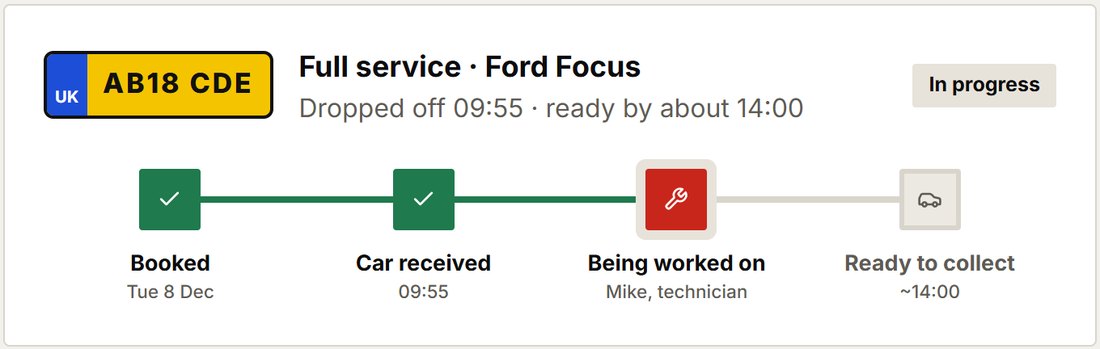
Like a parcel tracker, for their car
Customers see where their car is up to: booked, received, being worked on, ready to collect. They get a text at each step, so they stop ringing to ask.
- ✓Booked, received, in progress, ready
- ✓Automatic text at every step
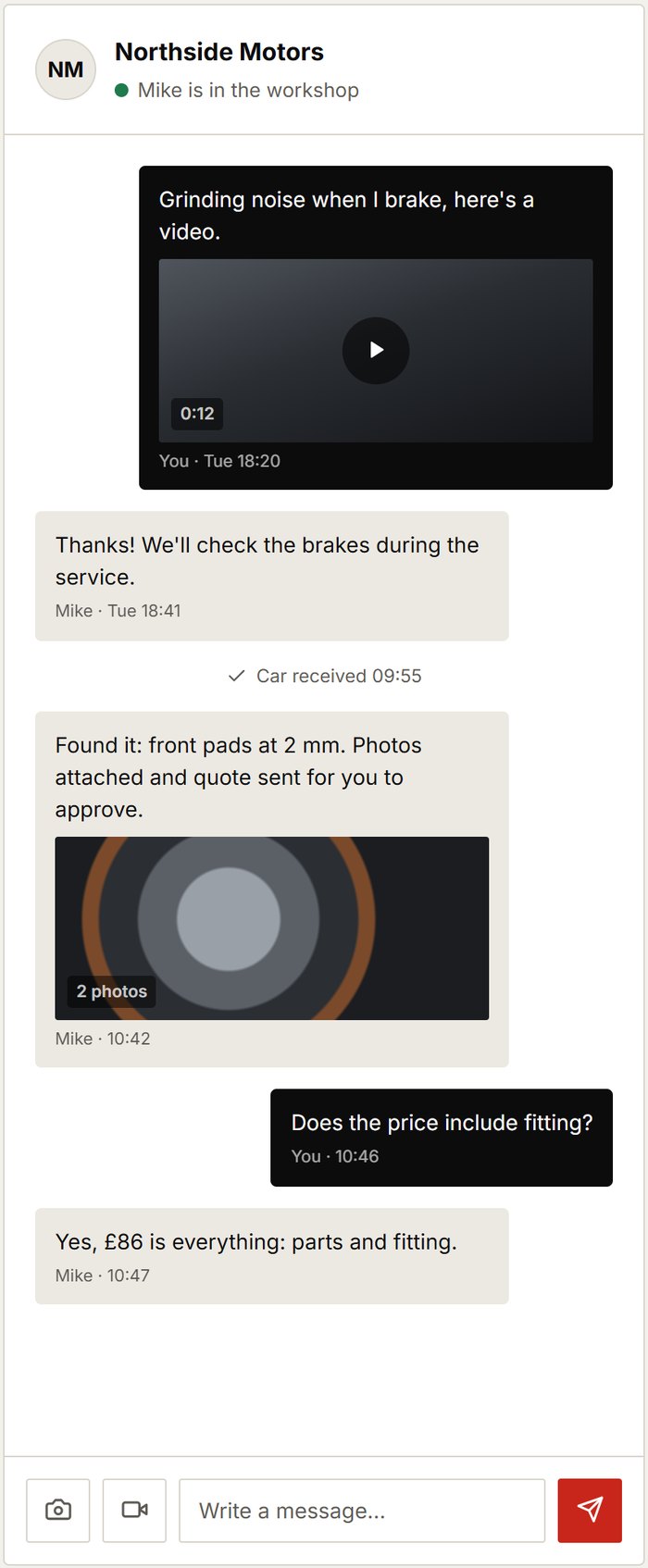
Photos and videos, both ways
Customers and your garage message each other inside their account, with photos and videos. Everything stays with the job, not lost in your phone.
- ✓Send and receive photos and videos
- ✓Every message kept with the job
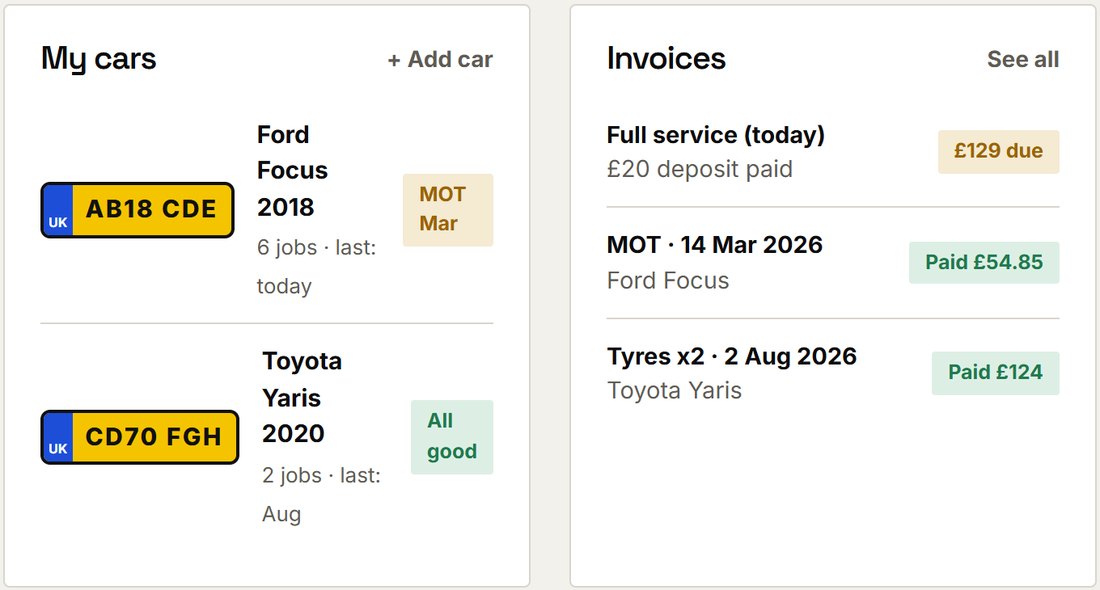
Cars, history, invoices and MOT reminders
Every customer gets an account with their cars, every job you have done, their invoices and their MOT dates. Reminders go out when the MOT or service is due, so they come back to you.
- ✓Full service history for each car
- ✓Invoices and receipts to download
- ✓MOT and service reminders
Send a link. Get booked and paid.
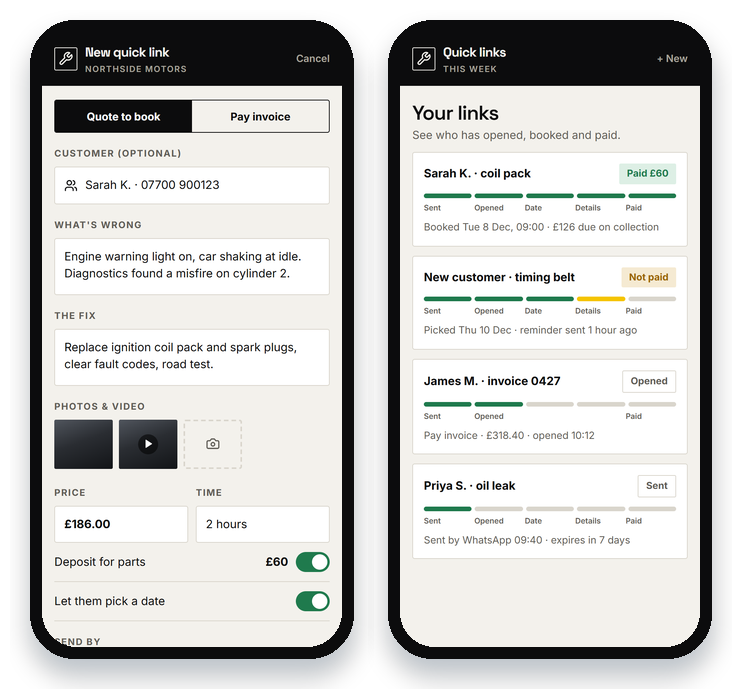
Write the problem, the fix, the time and the price, then send it by WhatsApp, text or email to anyone, even someone who has never used your site. They pick a date, add their details and pay.
You see where every link is up to
Sent, opened, date picked, details in, paid. If someone stops halfway, a friendly reminder goes out with the same link, so fewer jobs slip away.
- ✓Quote to book, or pay an invoice for a finished job
- ✓Deposit for parts, the balance when the car is ready
- ✓Send by WhatsApp, text, email or copy the link
Run your garage from your phone
A simple dashboard built for someone who is under a car all day, not at a desk.
Your day at a glance, on your phone
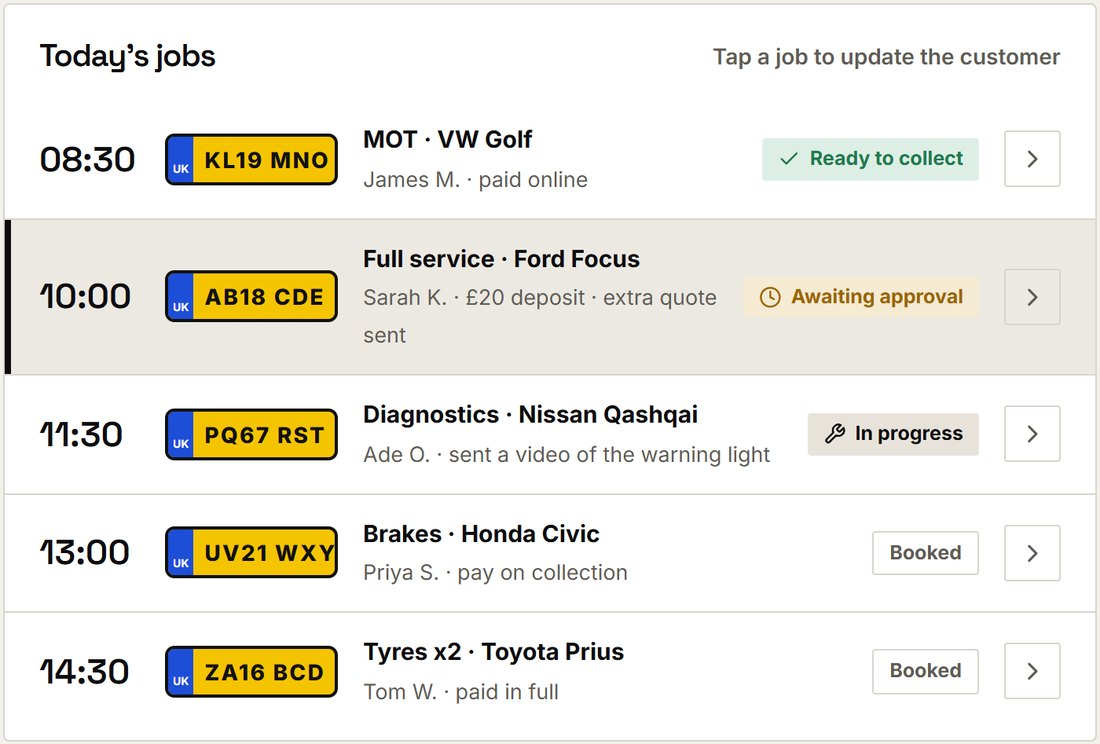
Today’s jobs, who has paid, what is waiting for approval and what you have taken this week. Tap a job to update the customer.
- ✓Today’s jobs with status
- ✓Waiting approvals and unpaid invoices
- ✓Block time off and add bookings

Send a quote in under a minute
Take a photo, add the parts and labour, type a short note and send it. The customer gets it on their phone to approve.
- ✓Photos and video
- ✓Parts and labour lines
- ✓Sent straight to the customer’s phone
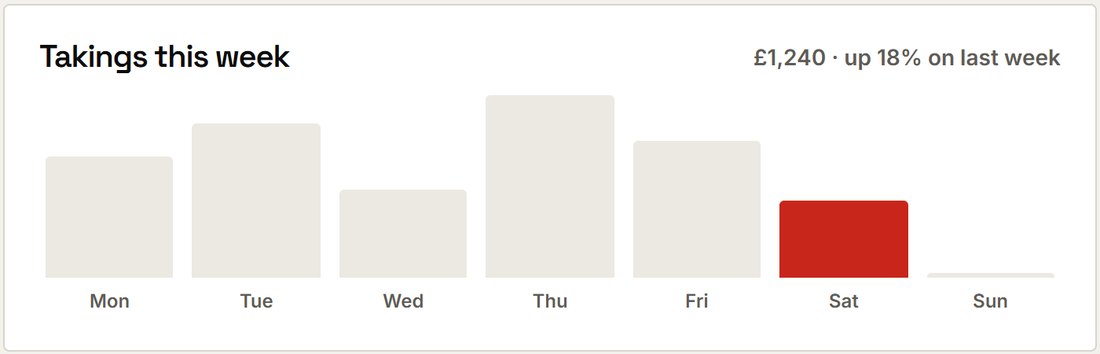
Takings and who owes you
See what came in each day this week and which invoices are still unpaid, without a spreadsheet.
- ✓Daily takings
- ✓Unpaid invoices at a glance
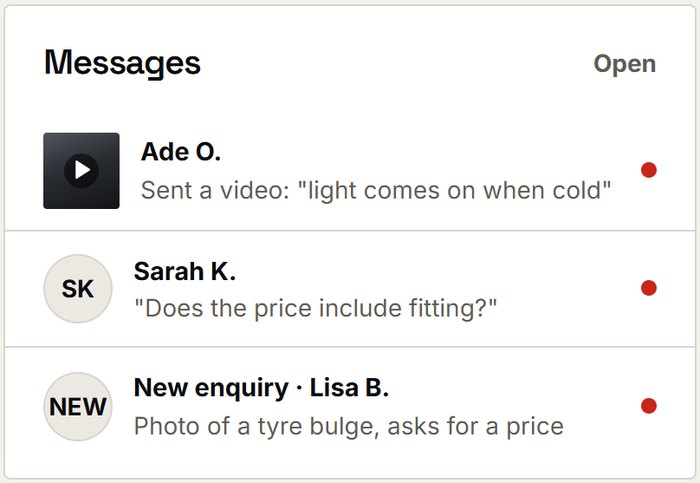
New messages and enquiries in one place
Videos from customers, questions about a quote and new enquiries all land in one inbox.
- ✓Customer videos and photos
- ✓New enquiries flagged
Call, WhatsApp, Email, Book now. Always there.
A contact bar stays on screen as customers scroll: along the bottom on phones, floating at the bottom on computers. However they like to get in touch, it is one tap away.
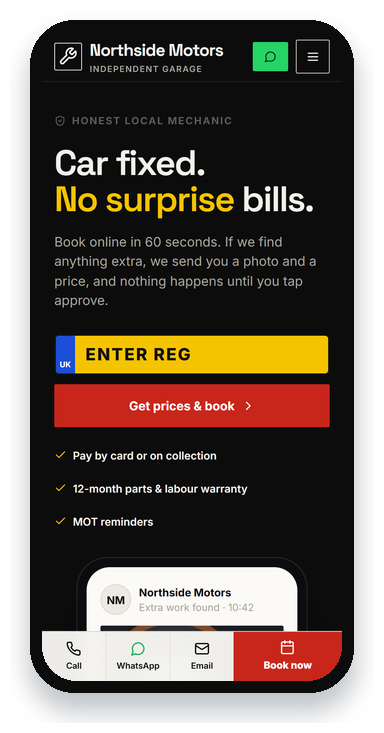
Never miss a customer who is ready to book
Most people visit on their phone. The bar means the next step is always in reach, whether they want to talk to you or book straight away.

No more surprise bills, and no more chasing payments
Most disputes at a garage start with “I didn’t agree to that.” Your site sends the photo, the price and the time before any extra work, and keeps a record of what the customer approved. Payments come in through a link instead of an awkward phone call.
What your site looks like
Tap any screen to see it bigger.
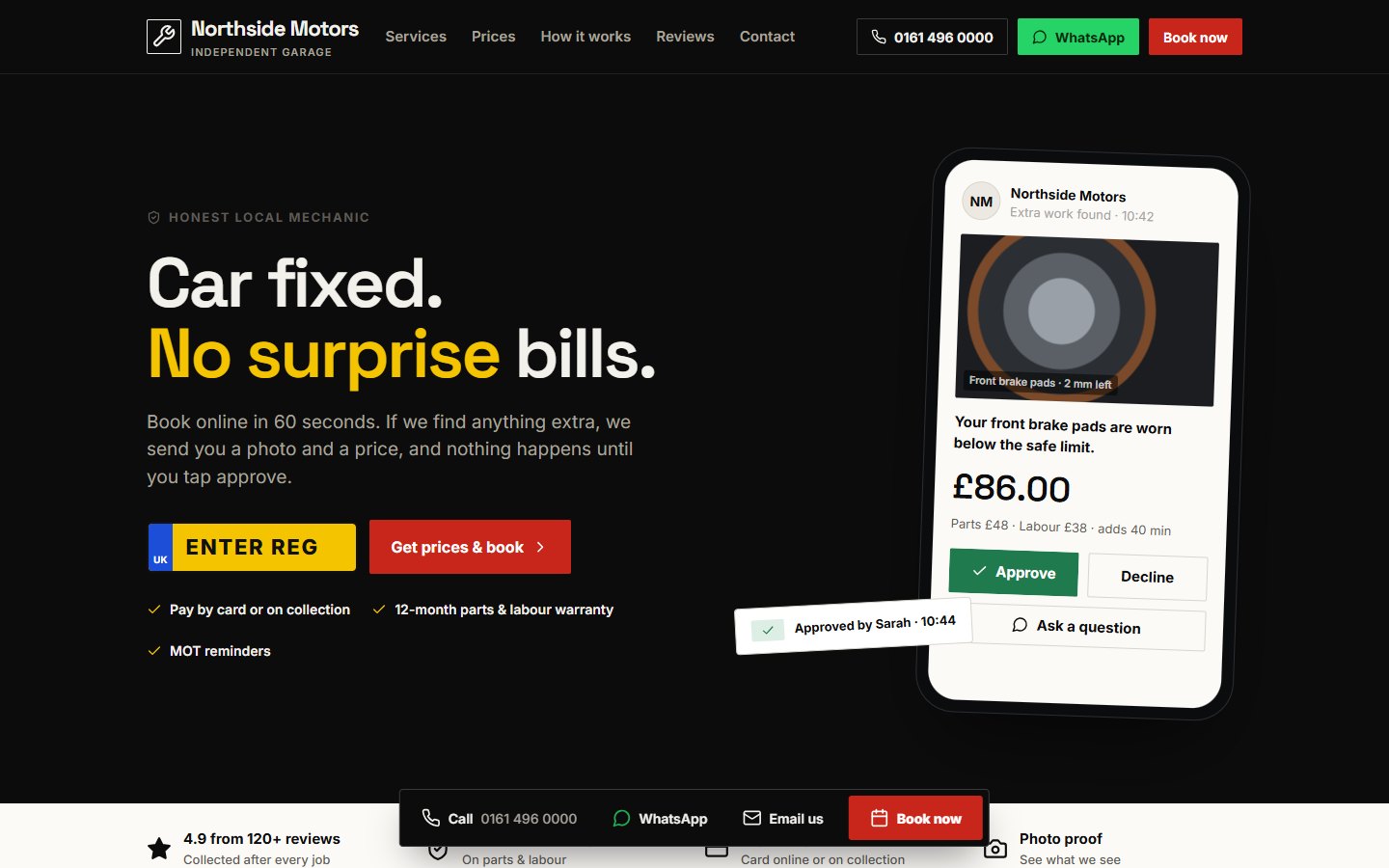
Your home page
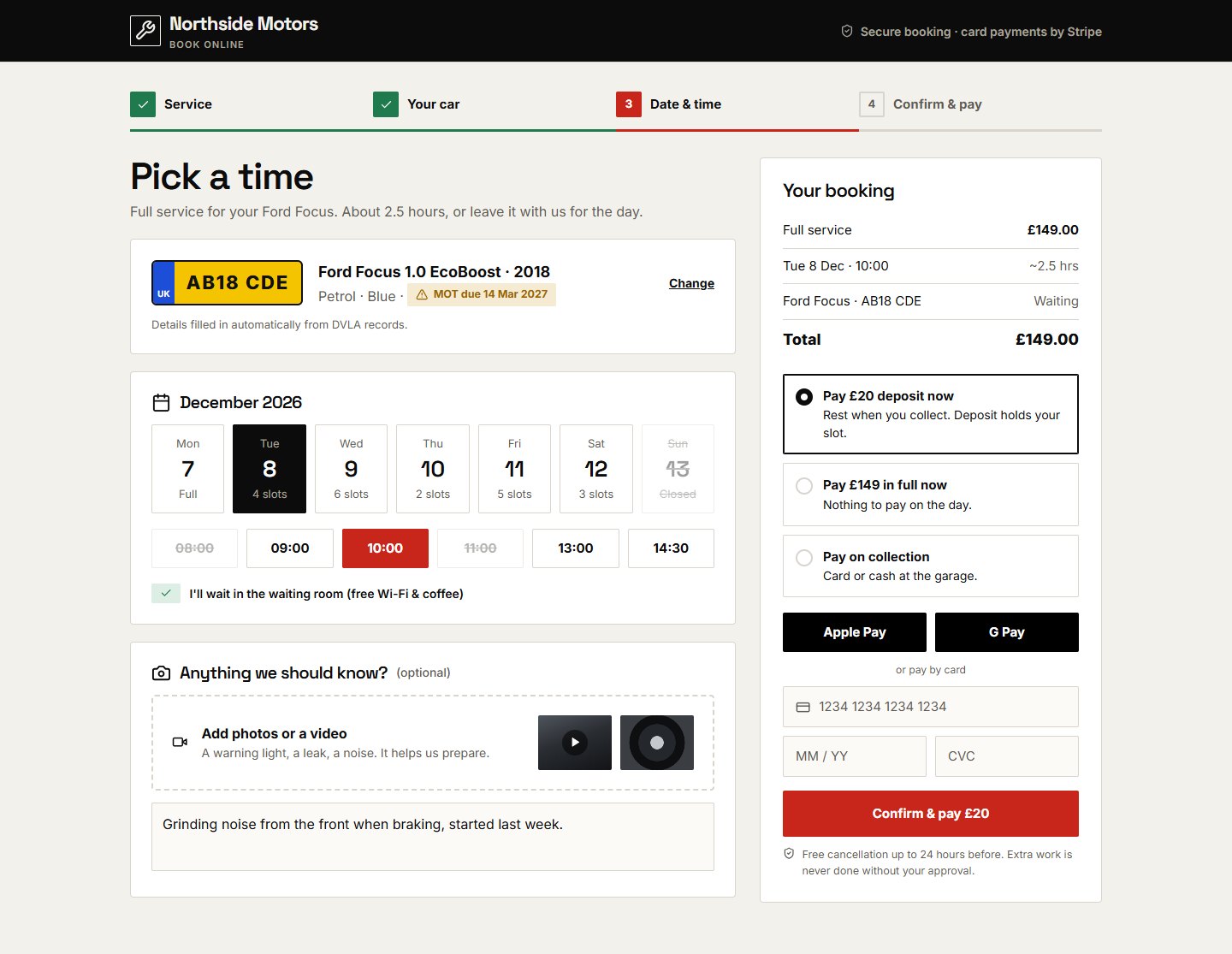
Booking and card payment
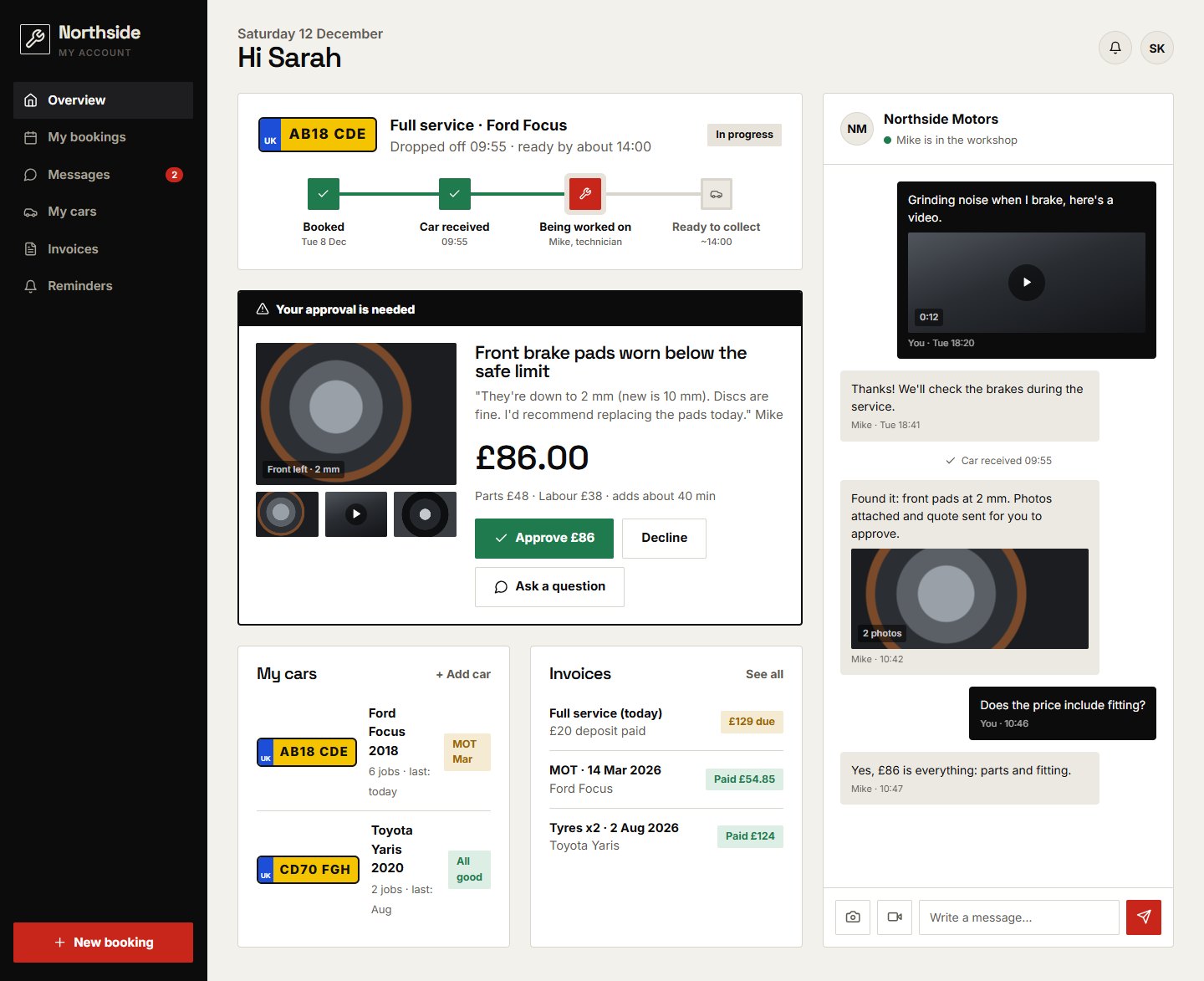
Your customer’s account
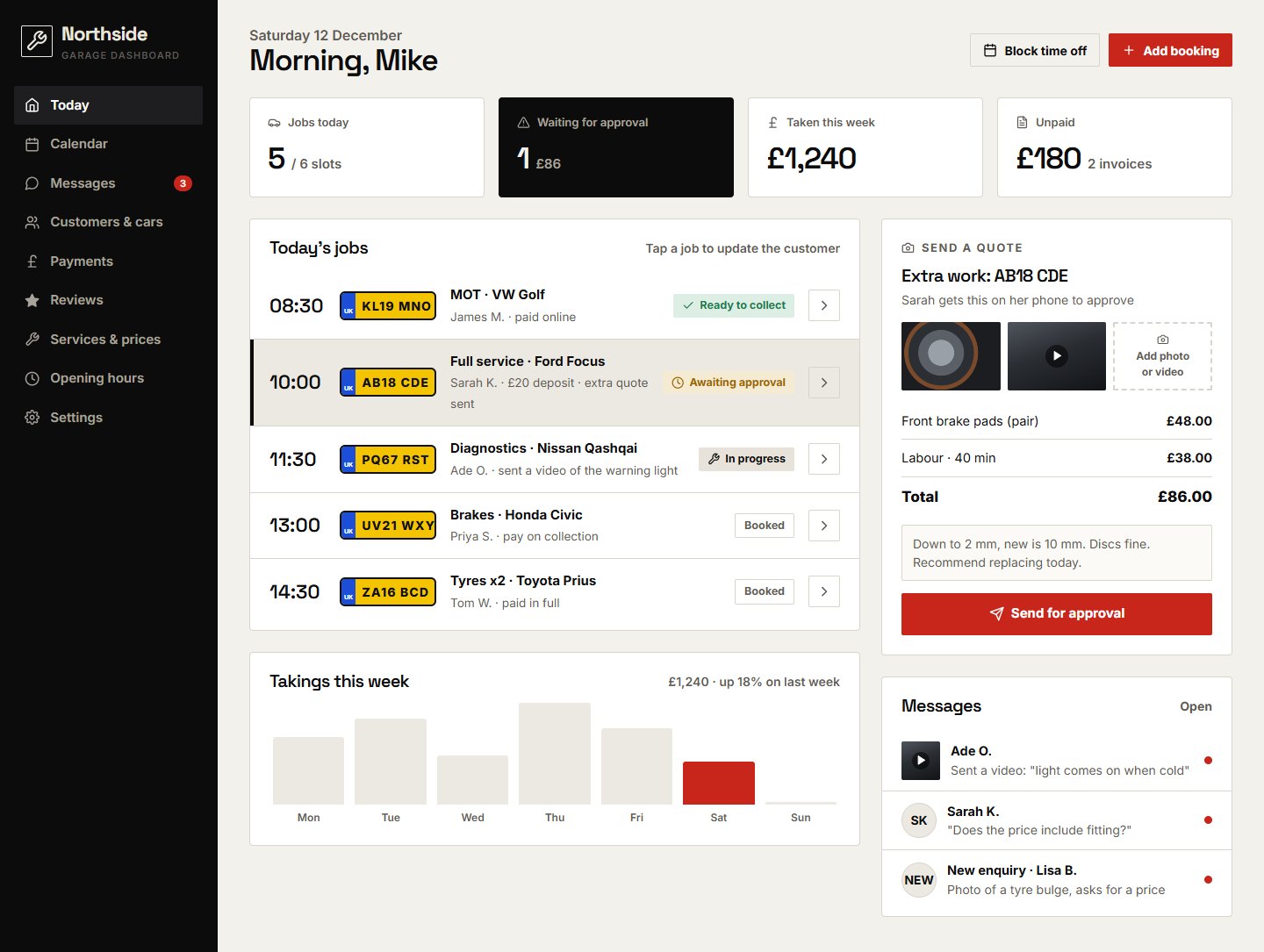
Your dashboard
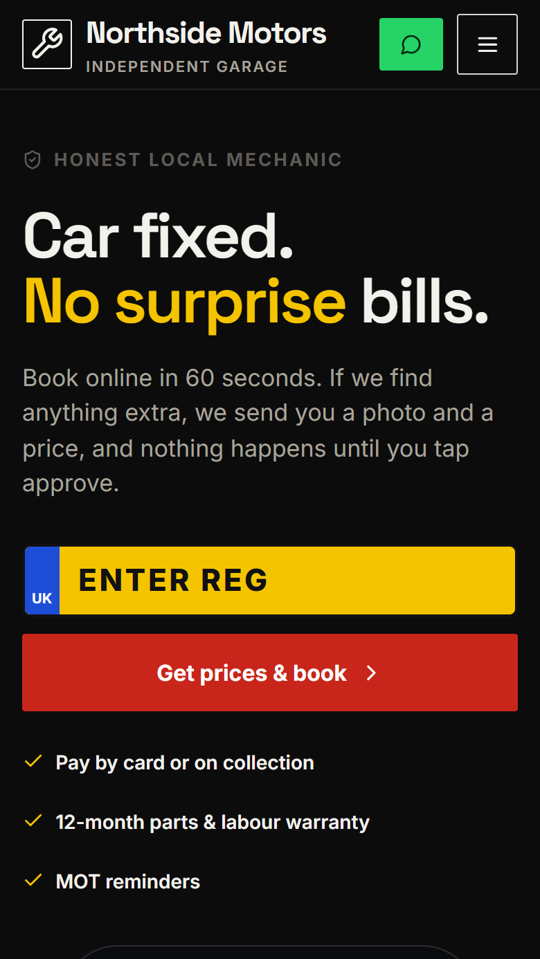
Your site on a phone
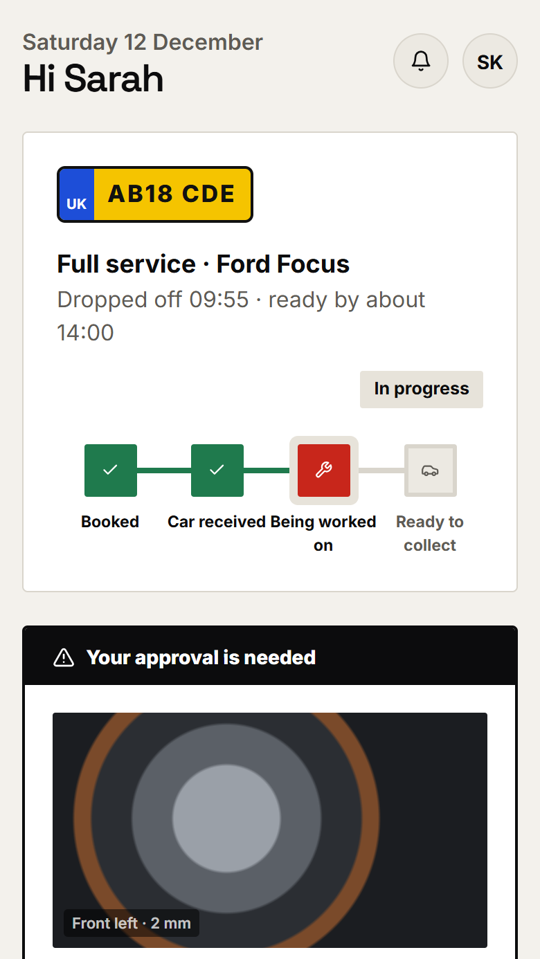
Customer account on a phone
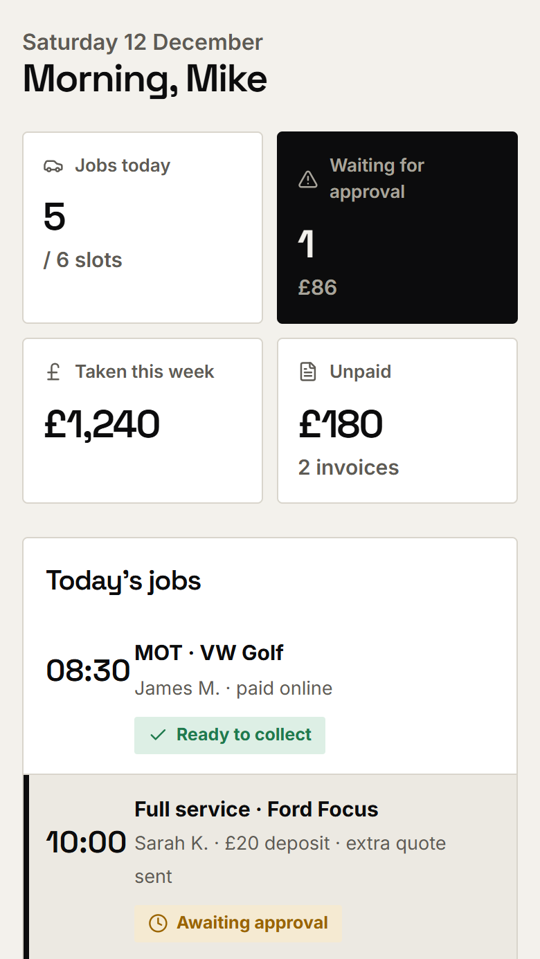
Your dashboard on a phone
How it works
Claim your spot. Fill in the short form below or give us a call. We arrange a quick chat about your garage.
We build your site. Your services, prices, opening hours, photos and logo, with online booking and payments set up.
You go live. We show you the dashboard on your phone and you start taking bookings.
Your garage website, online booking, quick pay links, photo quotes, customer accounts and your dashboard
£100 one-off
Hosting, the booking system, updates and support. Stays at £10 for the 20 launch garages.
£10 a month
Optional. Charged as a bundle or at cost, agreed with you first. Email updates and links you send from your phone are included.
Optional
Through Stripe, paid straight to your bank
Stripe fee per payment
For garages in Workington, Whitehaven, Cockermouth, Maryport and nearby towns. For comparison, our Growth Website package is £850. Full details in our terms and conditions.
Questions garages ask
Do I need to be good with computers?
What does it cost?
Will the £10 a month go up?
Why is it £100 when your Growth Website is £850?
How many garages can get the offer?
What is a quick pay link?
Can I take a deposit for parts and the rest later?
How do card payments work?
Can customers still phone or WhatsApp me?
Can I use my own web address?
Who owns my customer information?
I'm a mobile mechanic. Does it work for me?
I already have a website. Can you add booking to it?
Claim your spot
Tell us about your garage and we will call you to talk it through. No obligation.