A hospital management system for clinics, hospitals and hospital groups — patient records, clinics, clinical notes and continuity of care in one system.

Features:

  • Patient Registration & Records
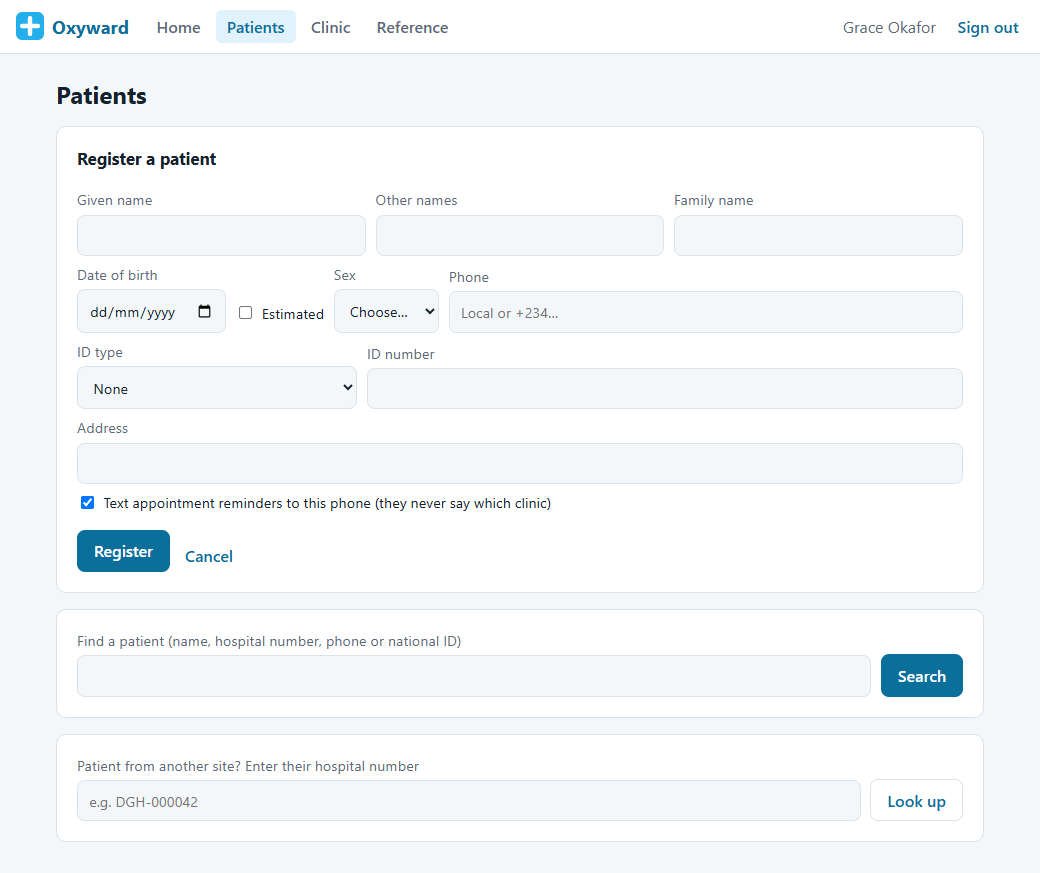
    One record per patient with an automatic hospital number, a duplicate check before anyone is registered twice, and national ID and phone formats checked for each country.
  • Appointments, Walk-ins & Queues
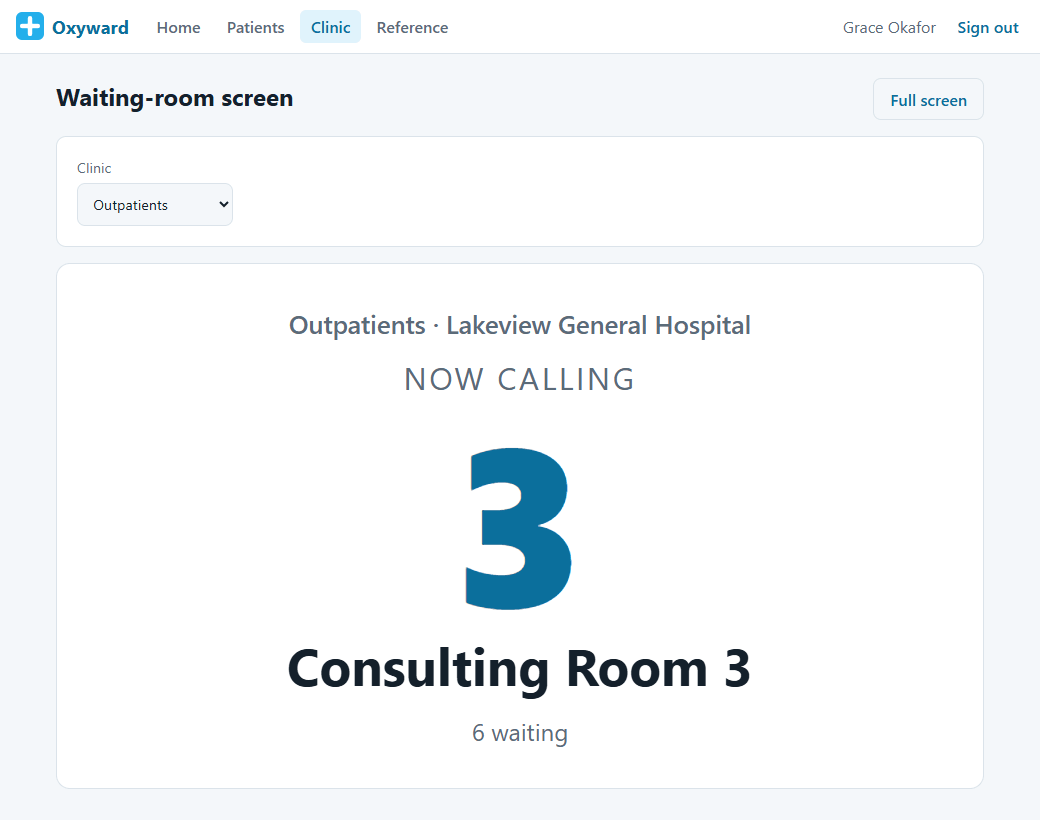
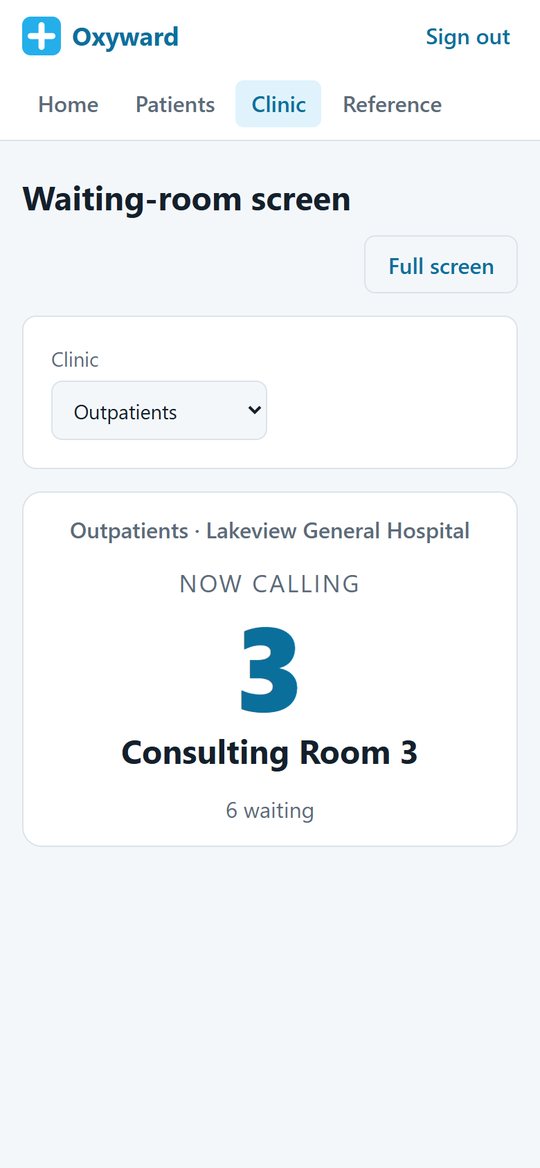
    Book appointments or add walk-ins, issue queue tokens with urgent patients seen first, and show a waiting-room screen that calls the next patient to the right room.
  • Consultations & Vital Signs
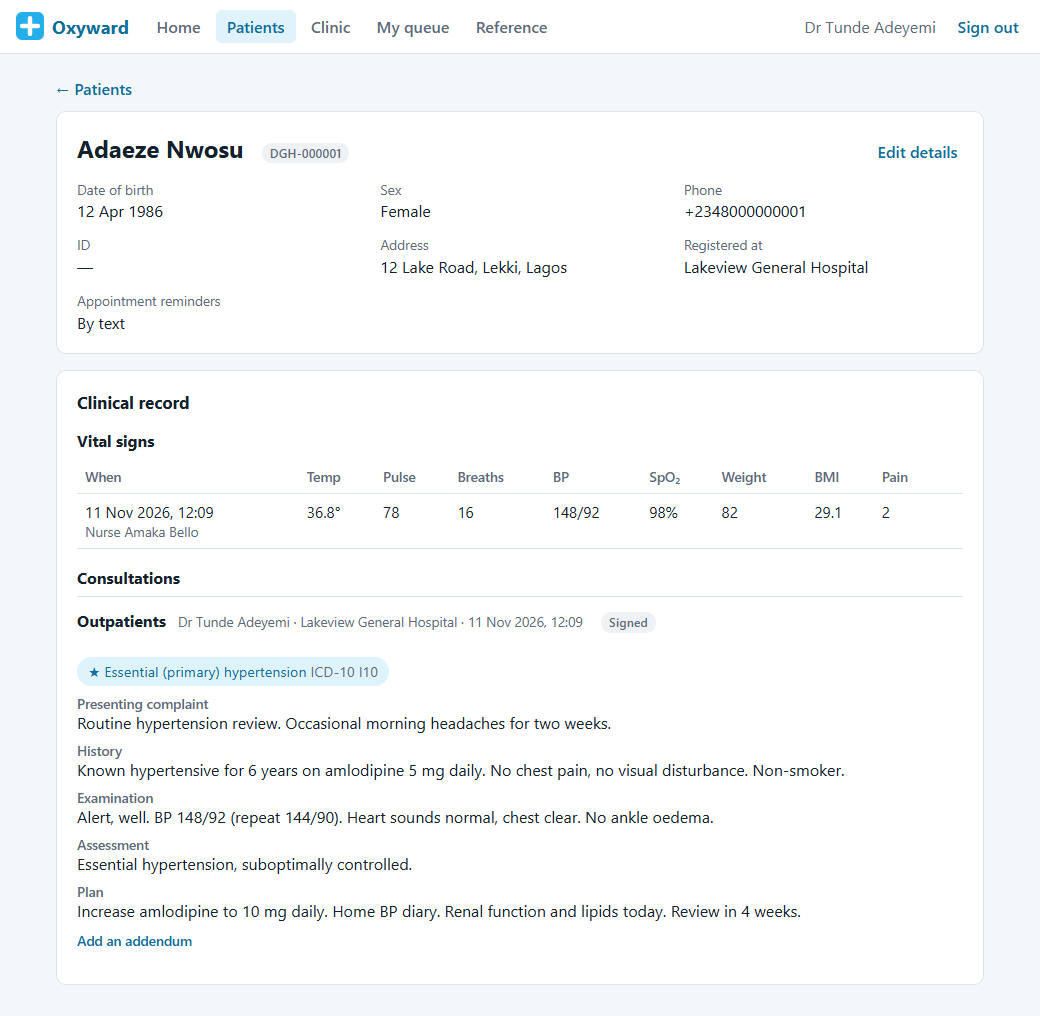
    Clinicians record vital signs, notes and coded diagnoses (ICD-10, plus SNOMED CT for UK sites), then sign them. Signed notes can only be added to, never rewritten.
  • Text Reminders
    Patients get an SMS reminder the day before their appointment that never names the clinic or the reason, and can opt out.
  • Multi-Site Hospital Groups
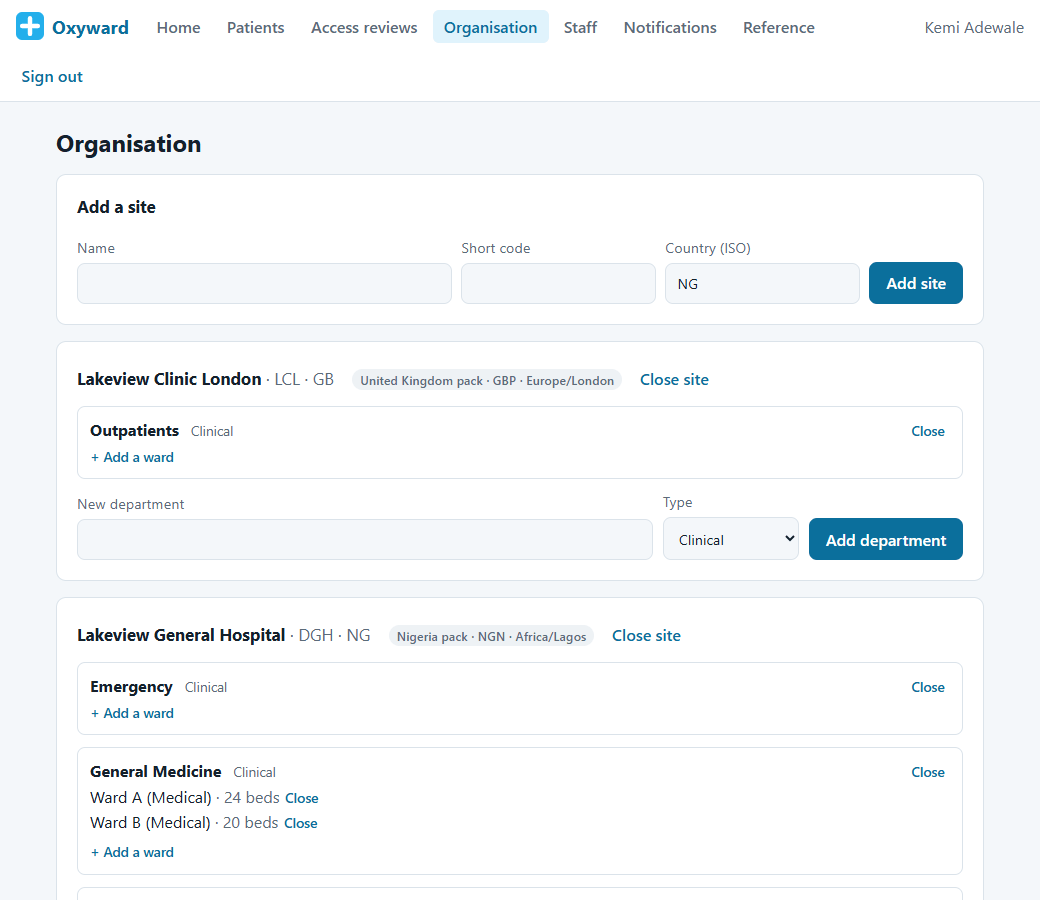
    Run several hospitals and clinics in one system, each with its own departments, wards and beds, and look up a patient from another site by their hospital number.
  • Role-Based Access
    Over 30 hospital roles, from receptionist to medical director. Each person sees only the sites and departments their role covers.
  • Security Built In
    Two-factor sign-in on every account, automatic lock on shared ward computers with a quick PIN unlock, logged emergency access, and a record of every patient file opened.
  • Standards-Based
    Built on the FHIR R4 healthcare data standard, with international clinical code systems (ICD-10, ICD-11, LOINC), so your data is never locked in.
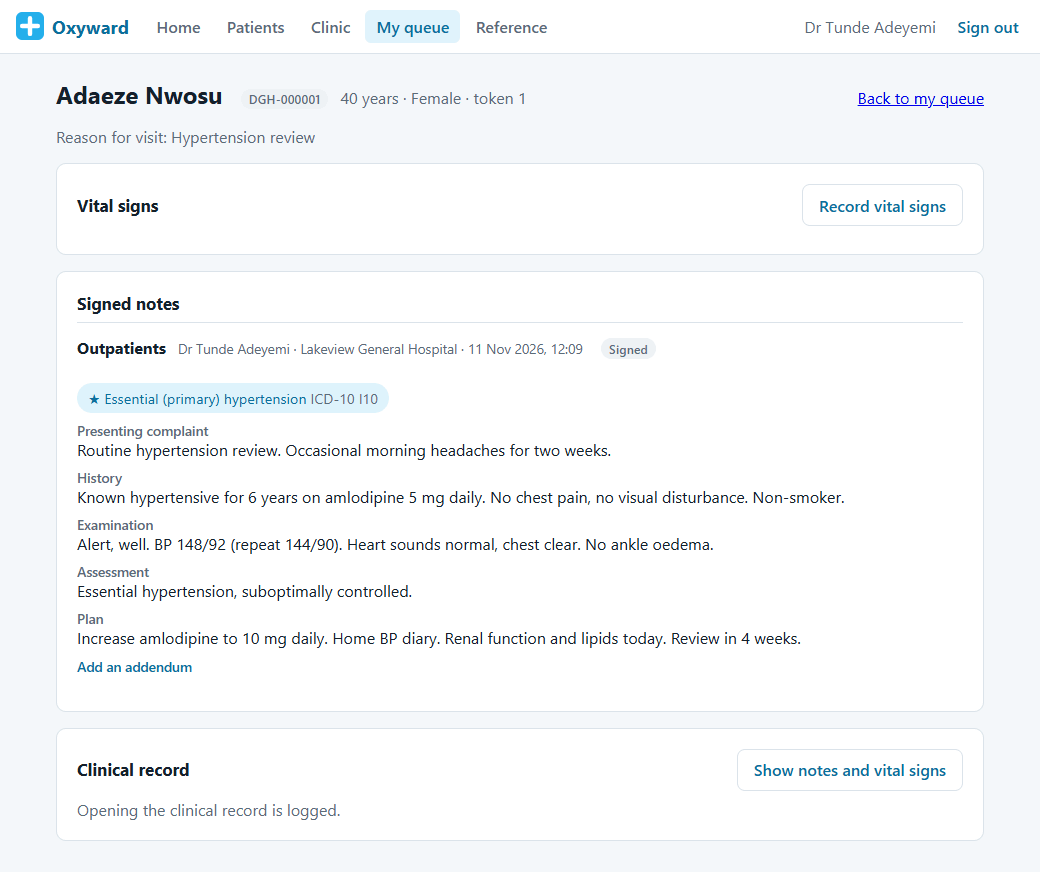
Oxyward signed consultation notes with a coded diagnosis

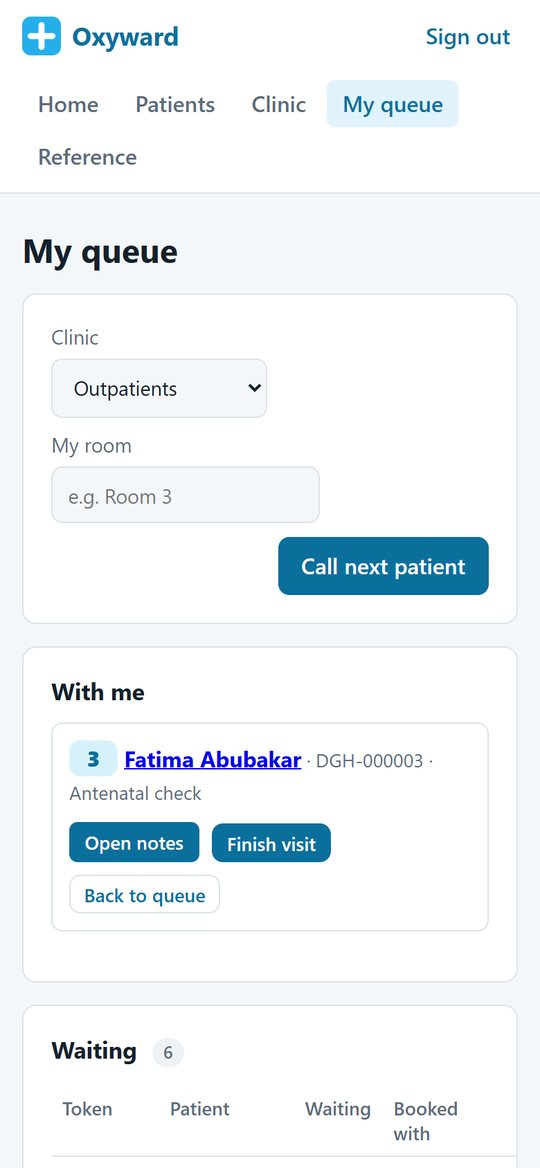
My queue on the go

My queue on the go

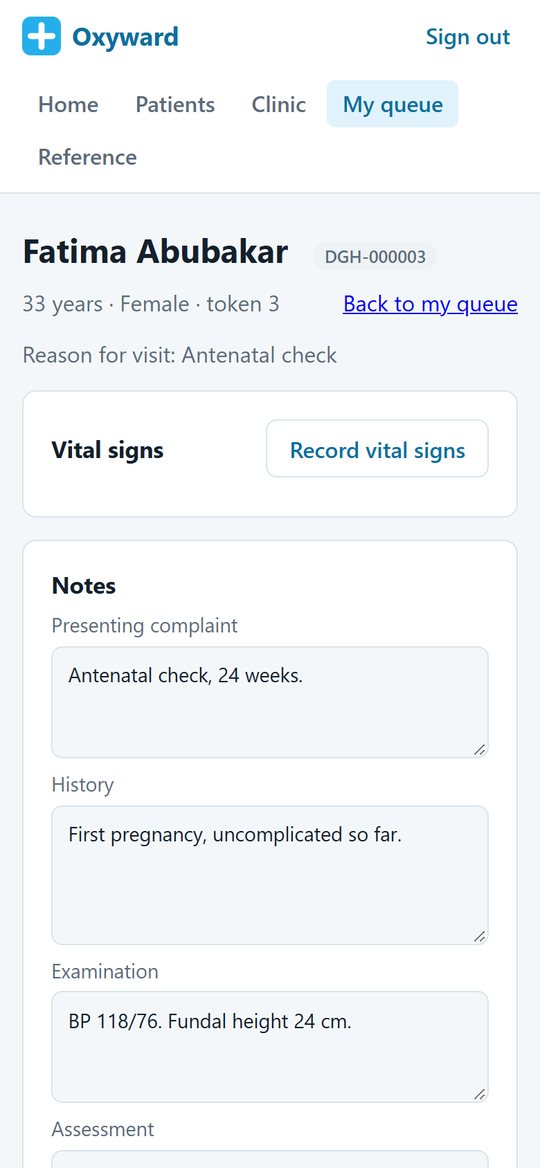
Write consultation notes on a tablet or phone

Write consultation notes on a tablet or phone


Built for every kind of hospital

Oxyward isn’t built around one type of provider. Whether you run a single clinic, a general or specialist hospital, or a group of hospitals across more than one country, the same system adapts to your departments, your roles and your local rules.


Care that continues after discharge

Most hospital systems stop at the hospital door. Oxyward is designed to work with Mindoxy Care, our care management platform for care homes, home care and supported living, so when a patient is discharged into care, the information their carers need goes with them.


Choose the modules your hospital needs

Oxyward is modular. Pick the modules that match how your hospital works, and we set up your system and your demo around them. Add more whenever you are ready.

📋

Patient Registration & Records

Registration, hospital numbers, duplicate checks and a full patient history across every site.

📅

Outpatients, Appointments & Queues

Clinic lists, walk-ins, queue tokens, a waiting-room screen and SMS reminders.

🩺

Consultations, Vital Signs & Diagnoses

Structured notes, early-warning vital signs, coded diagnoses and signed records.

🧪

Laboratory

Test requests from the consultation, sample tracking and results returned to the requesting clinician.

🩻

Radiology & Imaging

Imaging requests, worklists and reports linked to the patient record.

💊

Pharmacy & Prescribing

Electronic prescribing, dispensing and pharmacy stock, with allergy checks at the point of prescribing.

🛏

Wards, Beds & Inpatient Care

Admissions, bed management, ward rounds, nursing charts and discharge summaries.

🚑

Emergency & Triage

Fast registration, triage categories and a live view of who is waiting and how urgent they are.

🔪

Theatre & Surgery

Theatre lists, surgical safety checklists and operation notes.

🤰

Maternity

Antenatal visits, labour records and newborn details linked to the mother’s record.

💳

Billing, Cashier & Insurance Claims

Price lists, invoices, payments and insurance or HMO claims, in your own currency.

📦

Stores & Inventory

Stock levels, reorder alerts and supplies across departments and sites.

👥

Staff Rostering & HR

Rotas, shifts, leave and staff records for every department.

📱

Patient App & Telemedicine

Patients book, see their appointments and results, and join video consultations from their phone.

📈

Reports & Management Dashboards

Activity, waiting times, income and bed occupancy for managers and directors.

🏠

Discharge to Care (Mindoxy Care link)

Discharge information follows the patient into their care home or home care service on Mindoxy Care.


See it in action
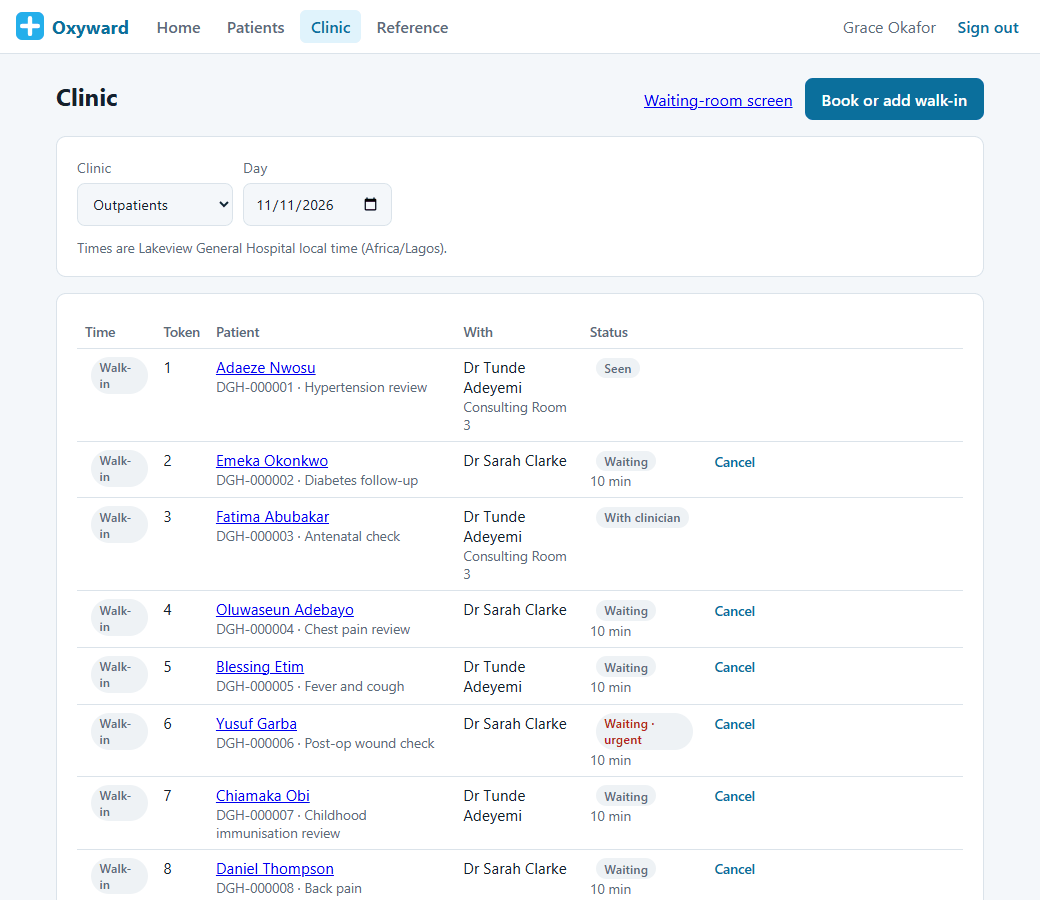
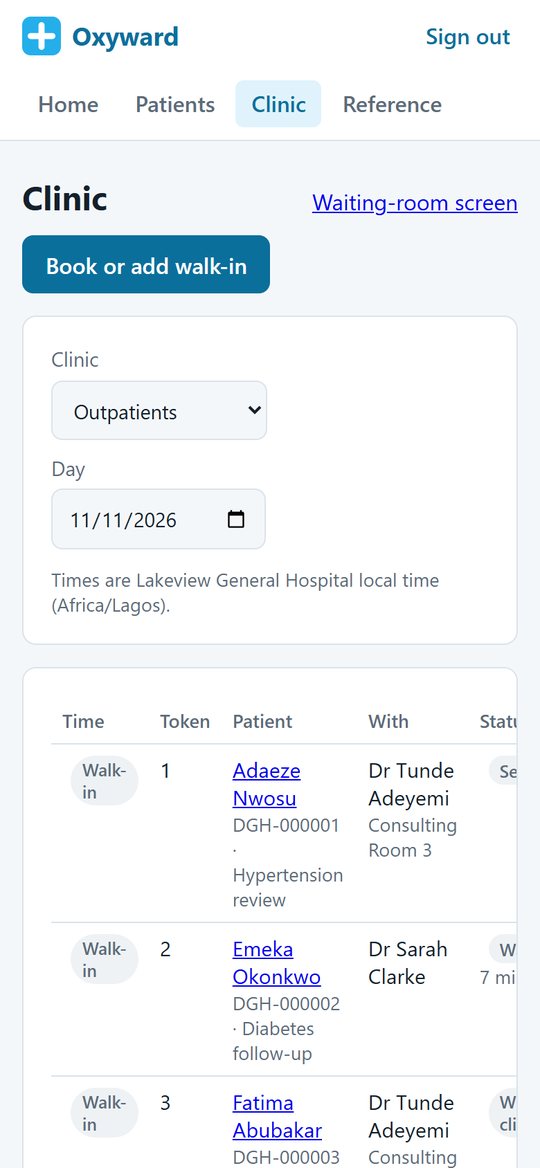
Clinic day: every appointment and walk-in

Clinic day: every appointment and walk-in

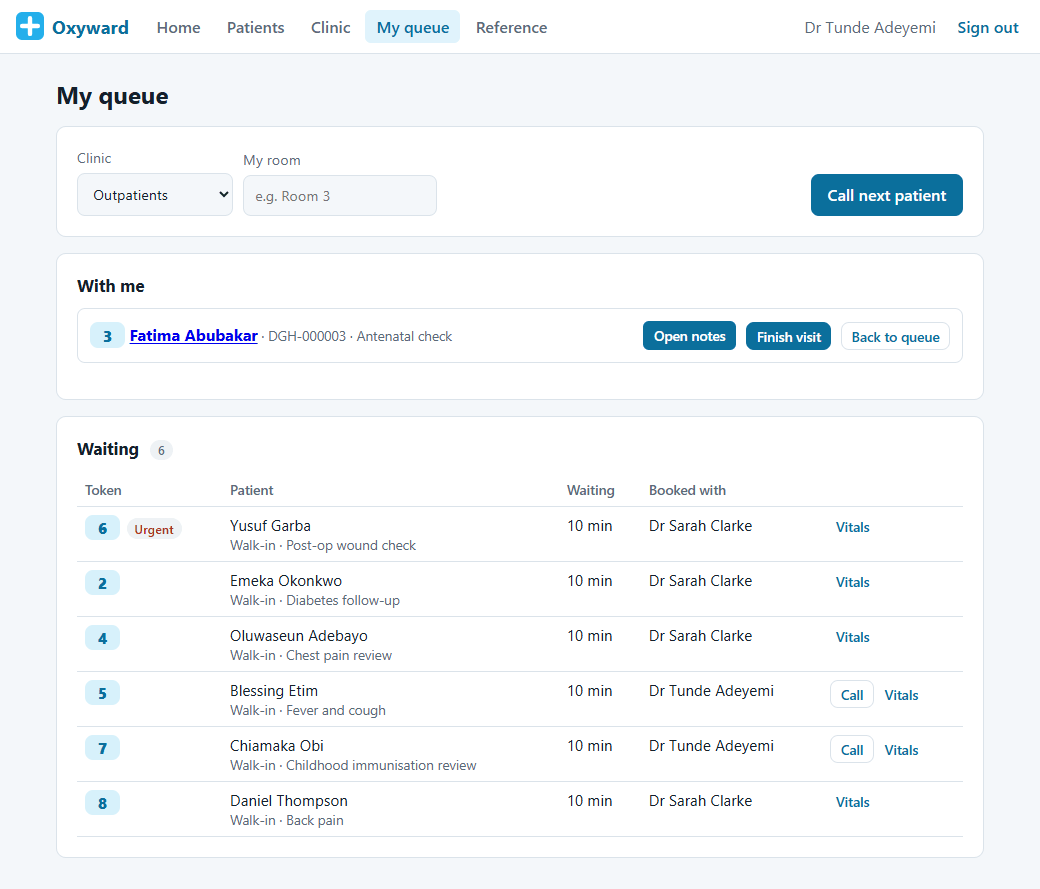
Clinician queue: urgent patients first

Clinician queue: urgent patients first

Waiting-room screen calls the next patient

Waiting-room screen calls the next patient

Register a patient with a duplicate check

Register a patient with a duplicate check

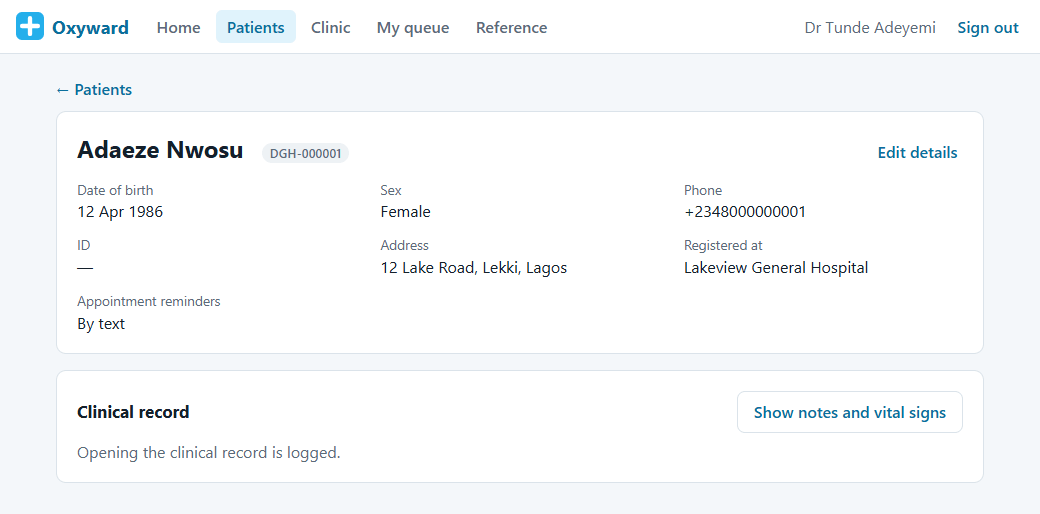
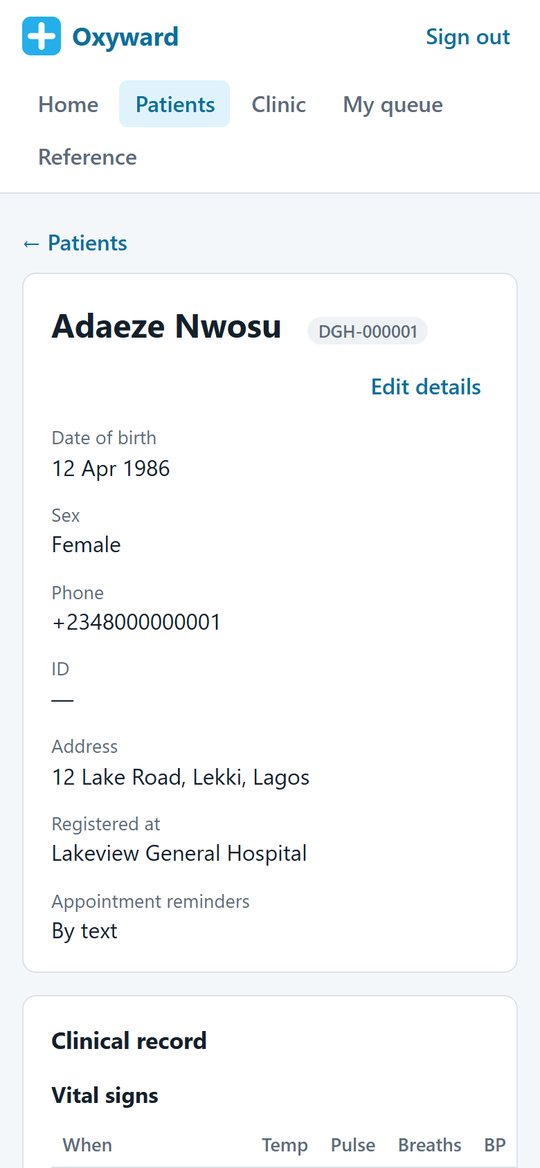
Patient record and hospital number

Patient record and hospital number

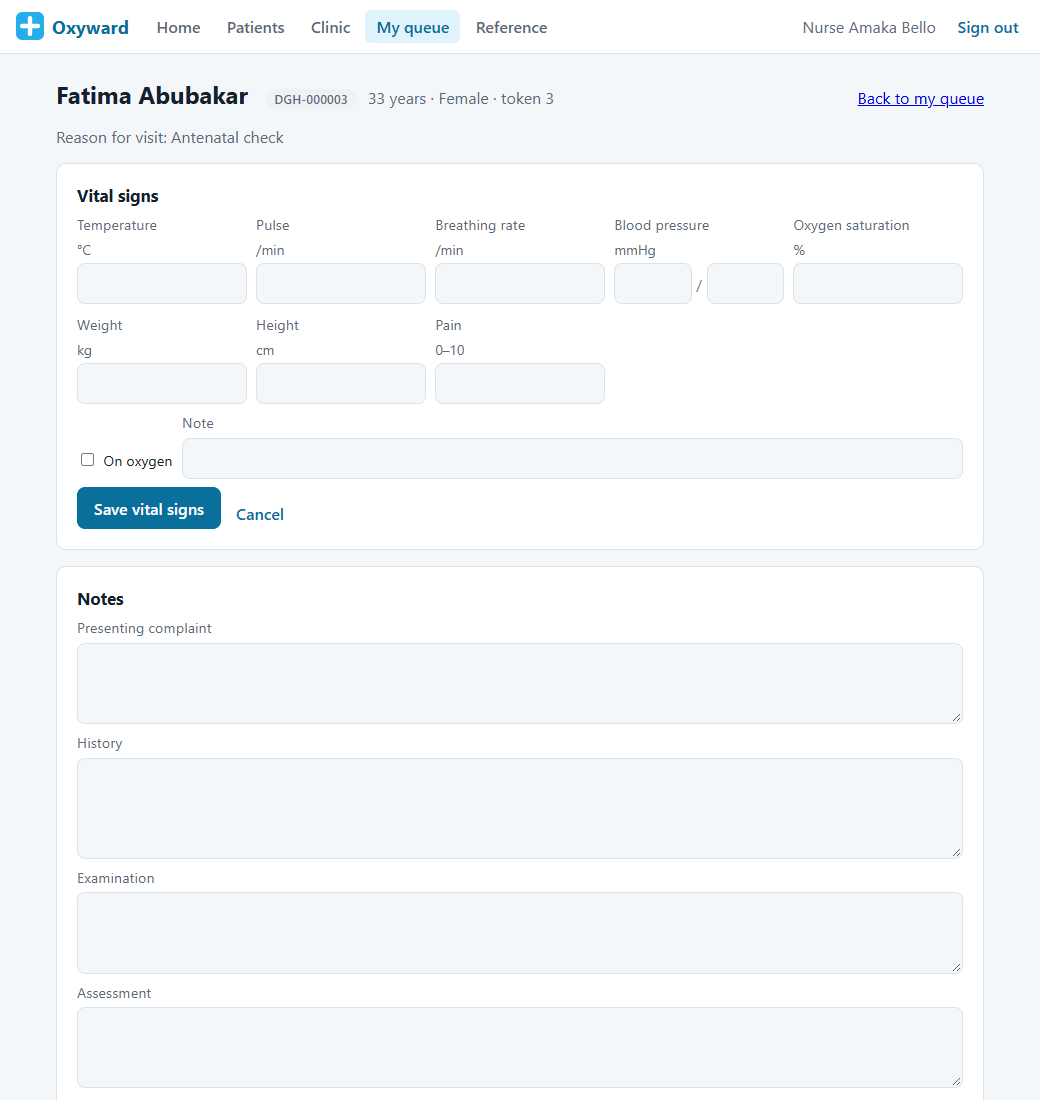
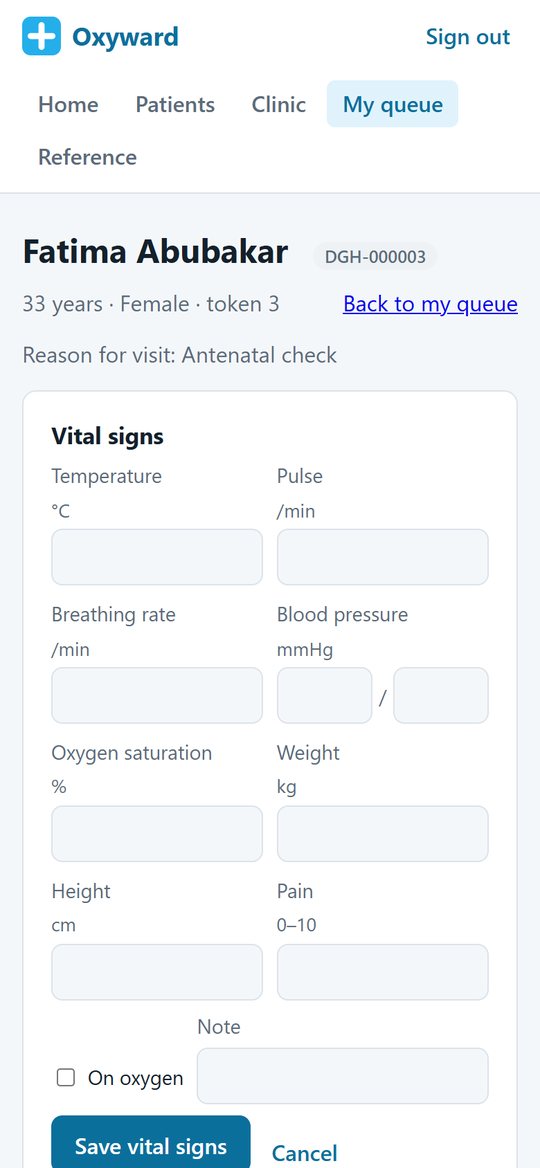
Record vital signs during the visit

Record vital signs during the visit

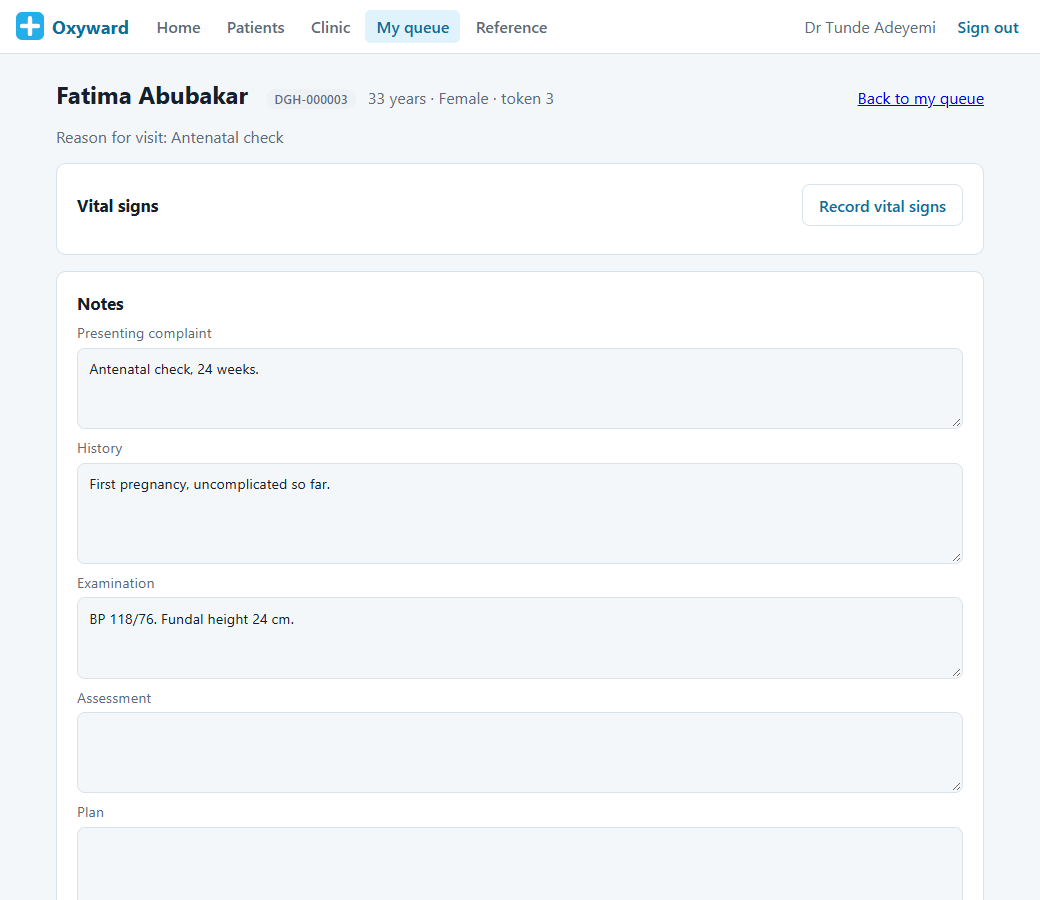
Consultation notes

Consultation notes

Signed notes with a coded diagnosis

Signed notes with a coded diagnosis

Clinical record: vital signs and consultations

Clinical record: vital signs and consultations

Multi-site group: sites, departments and wards

Multi-site group: sites, departments and wards

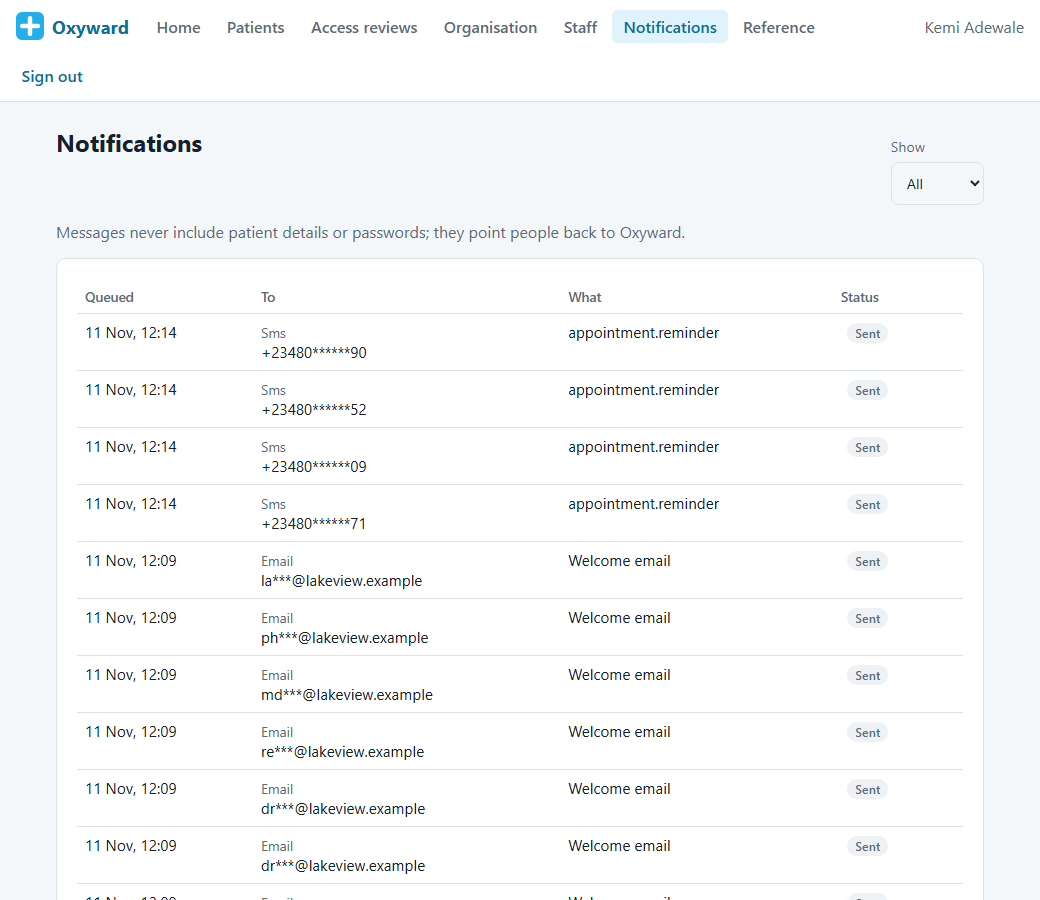
Notifications that never include patient details

Notifications that never include patient details

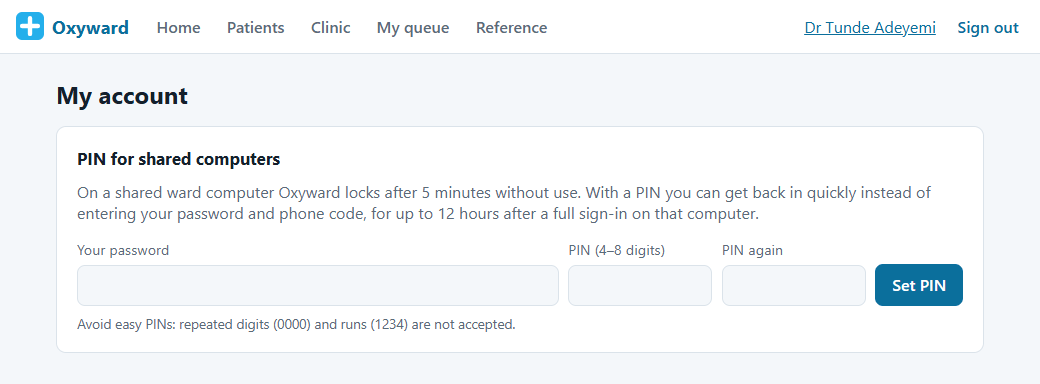
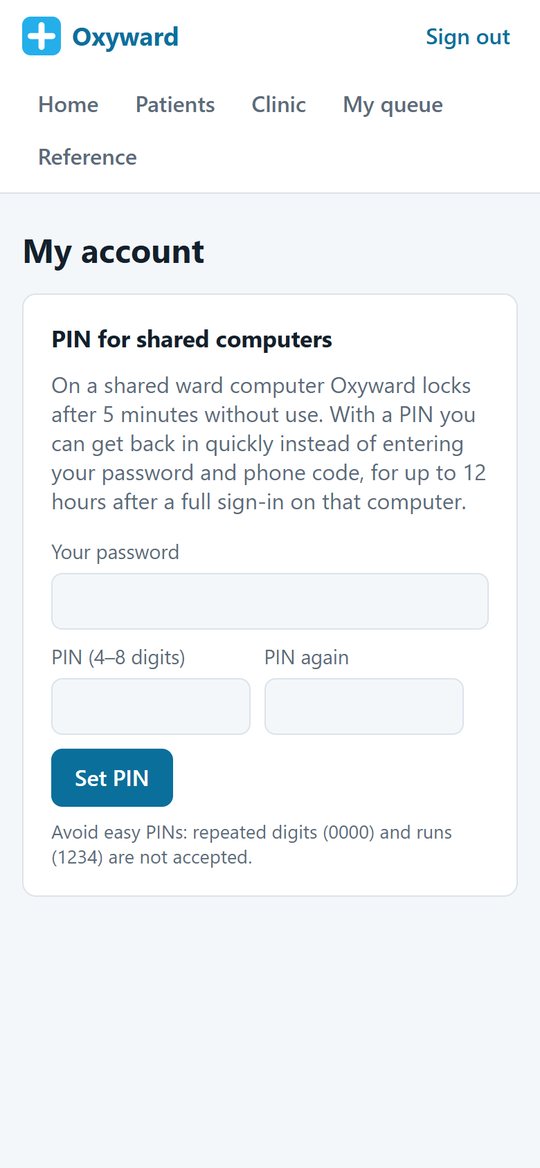
Quick PIN unlock for shared ward computers

Quick PIN unlock for shared ward computers


On every screen, from reception to the ward

Reception, nurses and doctors use Oxyward on computers, tablets and phones, so the record is wherever the patient is.
My queue on the go

My queue on the go

Write consultation notes on a tablet or phone

Write consultation notes on a tablet or phone

Record vital signs at the bedside

Record vital signs at the bedside

Clinical record on a phone

Clinical record on a phone

Reception's clinic list

Reception’s clinic list

Waiting-room screen

Waiting-room screen

PIN for shared devices

PIN for shared devices

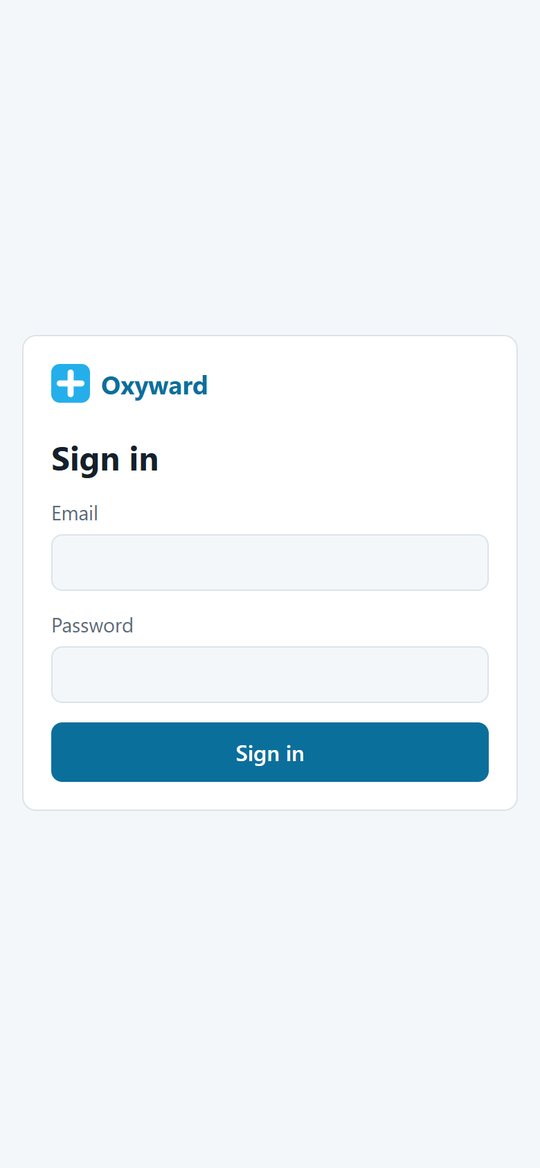
Secure sign-in

Secure sign-in


Frequently asked questions

Quick answers to what hospitals and clinics ask us most. Can’t see yours? Get in touch.

The basics

Who is Oxyward for?
Private and public clinics, general and specialist hospitals, and groups that run several hospitals or clinics. You choose the modules that match how your hospital works, so your team only sees what is relevant to them.
Do we need special equipment?
No. Oxyward runs in a normal web browser on computers, tablets and phones. A waiting-room screen can be any TV or monitor with a browser. There is nothing to install on each computer.
Which countries does it work in?
Oxyward is built for use in different countries. Each site has a country setting that checks local ID numbers and phone formats and uses the local currency and time zone. The UK (including NHS number checks) and Nigeria (including NIN checks) are set up today, and any other country can use the international setting while its own settings are added.
Can one group run several hospitals?
Yes. You set up each hospital or clinic as a site, with its own departments, wards and beds. Staff are given roles at the sites they work in, and a patient from another site can be looked up by their hospital number when they are booked in.

Patients and clinics

How does patient registration work?
Reception searches first, and Oxyward checks for an existing record with the same ID number, or the same name and date of birth, before a new one is created. Each patient gets a hospital number for their site, and every time someone opens a record it is logged.
How do appointments, walk-ins and queues work?
Reception books appointments or adds walk-ins and checks patients in when they arrive. Each patient gets a queue token, urgent patients are seen first, and clinicians call the next patient from their own queue. The waiting-room screen shows which token to go to which room.
Do patients get appointment reminders?
Yes, by text message the day before. The message never names the clinic or the reason for the visit, to protect the patient's privacy, and patients can choose not to receive reminders.
What does a clinician see during a visit?
Their queue, the patient's details and reason for the visit, the vital signs taken by the nurse, and a notes form for the presenting complaint, history, examination, assessment, plan and coded diagnoses. When the notes are signed they become part of the patient's clinical record.

Clinical records and safety

Which vital signs can be recorded?
Temperature, pulse, breathing rate, blood pressure, oxygen saturation (and whether the patient is on oxygen), weight, height with automatic BMI, and pain score. Values outside the normal adult range are flagged, and impossible values are refused.
Can notes be changed after they are signed?
No. Signed notes are locked. If something needs to be added, the clinician writes an addendum that is shown with their name and time. A vital-sign reading entered by mistake can be marked as entered in error by the person who recorded it, and it stays visible in the history.
Which clinical codes does it use?
Diagnoses are coded with ICD-10, and Oxyward also supports ICD-11 and LOINC. UK sites can use SNOMED CT as well. Each country's setting decides which code systems its clinicians use.
Can it share data with other systems?
Yes. Oxyward is built on FHIR R4, the international standard for exchanging healthcare data, so patient and vital-sign records can be shared with other systems through a standard interface rather than a custom export.

Security and access

How is patient information protected?
Every account uses two-factor sign-in, and each person only sees the sites and departments their role covers. Every time someone opens a patient's record it is logged. All traffic is encrypted, and backups are encrypted and test-restored automatically.
What happens in an emergency, when someone needs a record they would not normally see?
They can use emergency (break-glass) access, giving a reason. Access is read-only, lasts 60 minutes, and is reviewed afterwards by the medical director or an auditor, never by the person who used it.
What about shared ward computers?
Oxyward locks a shared computer after a few minutes without use. Staff can get back in quickly with a personal PIN instead of their full password and phone code, for up to 12 hours after a full sign-in on that computer.
Do notifications include patient details?
No. Emails and text messages from Oxyward never contain patient details or passwords; they point people back to Oxyward to see the information.

Modules and getting started

Do we have to take every module?
No. Oxyward is modular. You choose the modules your hospital needs, such as outpatients, laboratory, pharmacy or billing, and add more when you are ready.
Does it work with care homes and home care after discharge?
Yes, that is what makes Oxyward different. It is designed to work with Mindoxy Care, our care management platform, so when a patient is discharged to a care home or home care service, the information their carers need goes with them.
How does getting started work?
Select Start Now and tell us about your hospital and the modules you need. We arrange a call, set up Oxyward around your departments and chosen modules, and give you a demo of your own setup. When you are happy, we create your secure accounts, set the right access for each role and help your team get going.
How much does it cost?
It depends on the modules you choose and the size of your hospital or group, not a one-size-fits-all package. When you select Start Now you can pick the modules you need, and we will put together a clear price around them.
Where is our data kept?
We agree hosting with you as part of setting up, including which country your data is kept in, so it fits your local data protection rules.

Ready to see Oxyward?

Tell us about your hospital and the modules you need, and we’ll set up a demo of Oxyward built around how you work.