✅ A digital care management platform for care homes, home care, and supported living — medication safety, visits, and family updates in one system.
Features:
- Electronic Medication Administration
Stock tracking, dose alerts, duplicate/PRN-interval checks, and a daily physical stock count with witness sign-off for controlled medications. - Visit Scheduling & Mobile Check-In
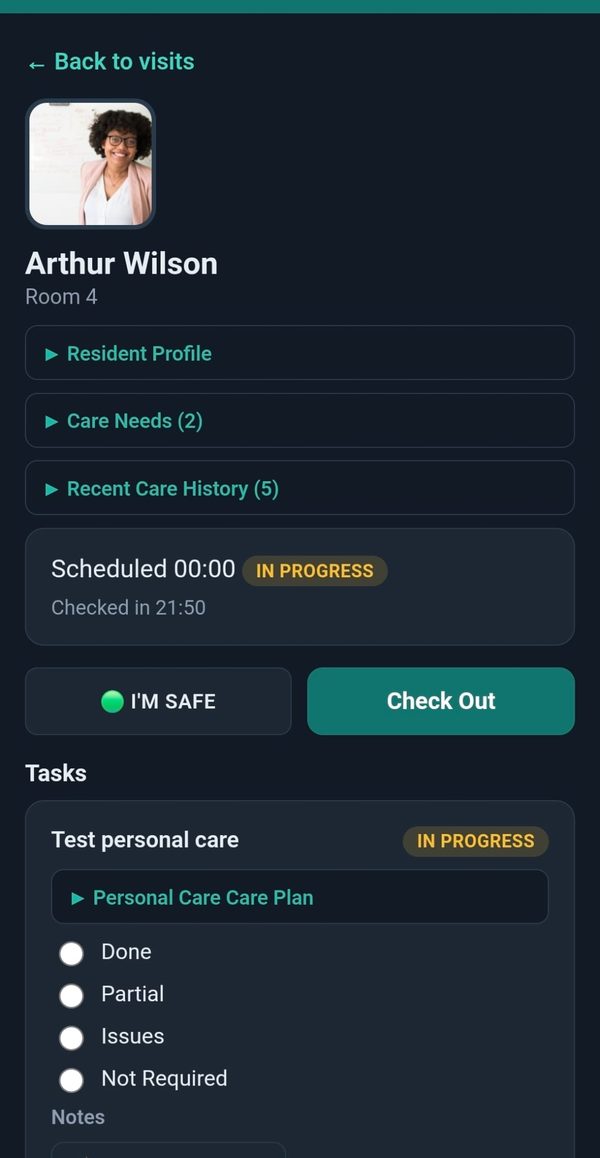
Staff check in and out from their phone, with full offline support in the field. - Care Plans & Clinical Assessments
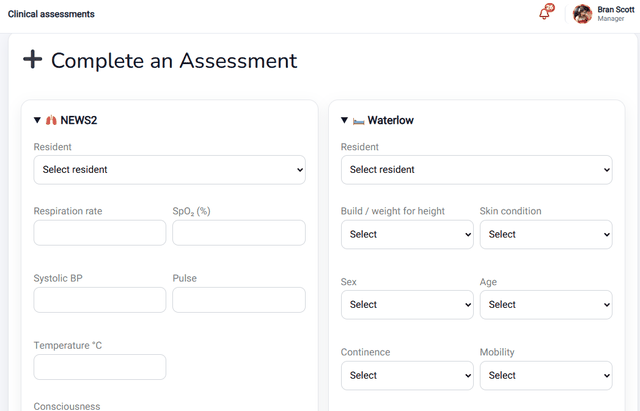
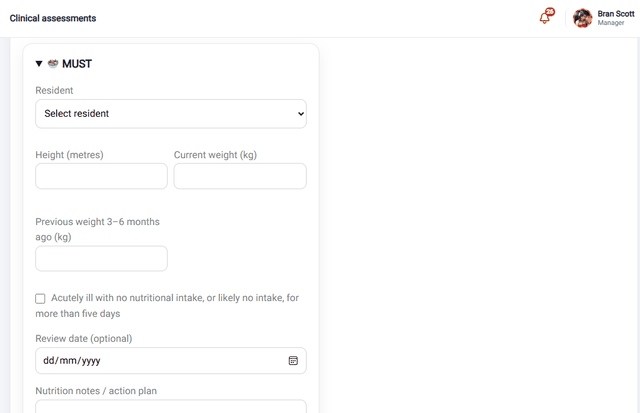
NEWS2, Waterlow, and MUST scoring built into every visit. - Incident Reporting
Logged and escalated to managers the moment it happens. - Behaviour Support (ABC) Recording
Antecedent-Behaviour-Consequence charting for behaviour-support work, switchable on per service. - Staff Rostering, Time & Attendance
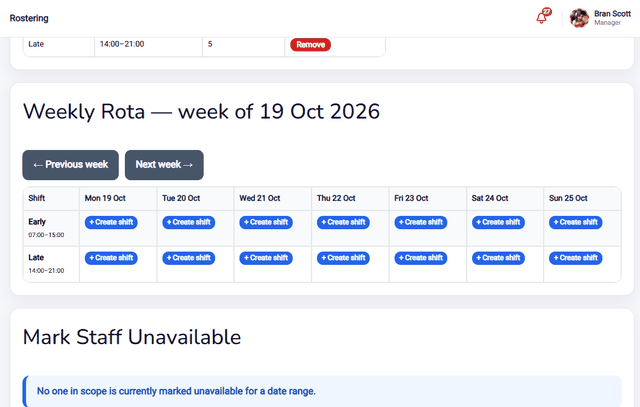
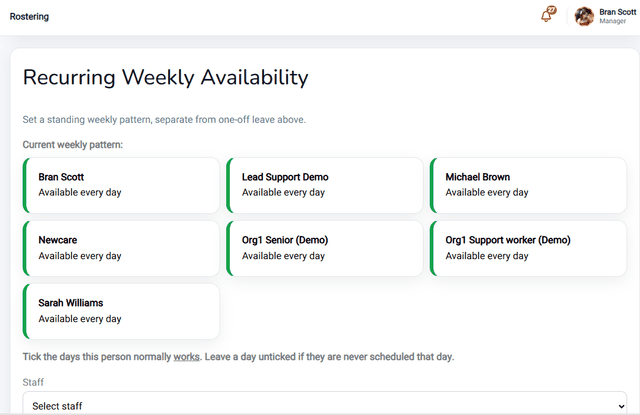
Shift rotas, clock-in/clock-out with break tracking, weekly timesheets and payroll export, shift-swap requests, staff compliance (DBS/training) expiry alerts, a lone-worker safety check-in, and travel-aware scheduling for home care – all with automatic conflict prevention so nobody is double-booked. - Family & Professional Portal
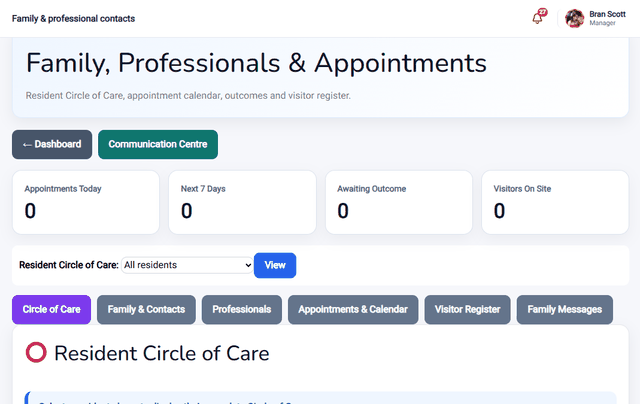
Relatives see care updates and can message the care team directly. - Service User Finance
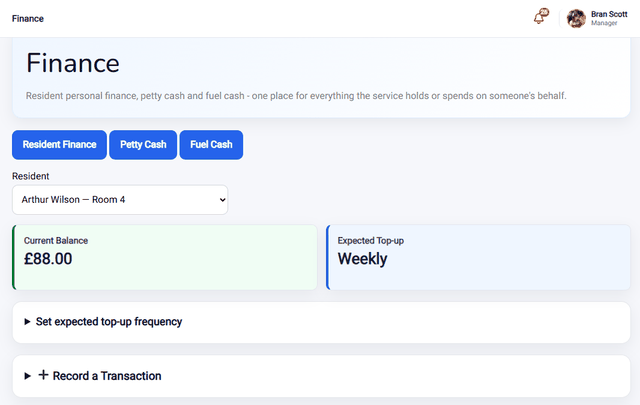
Track residents’ personal money – purchases, top-ups, and balance checks with witness sign-off. - Compliance-Ready Reporting
Audit trails and reports built with care-sector compliance standards in mind.

Built for every care setting
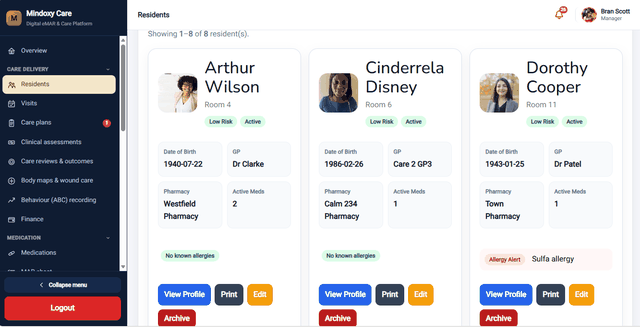
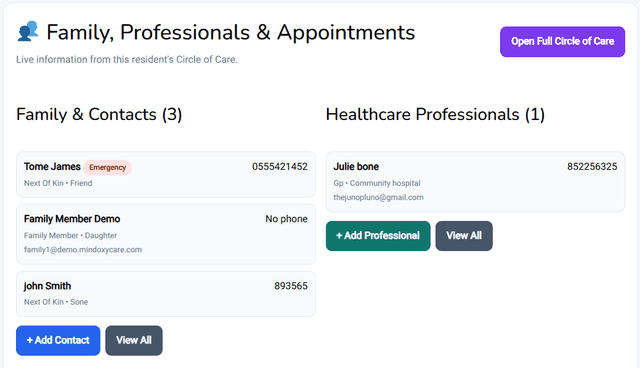
Mindoxy Care isn’t built around one type of provider. Whether you run a residential care home, a domiciliary/home care service, or supported living, the same platform adapts to how your team actually works.
See it in action
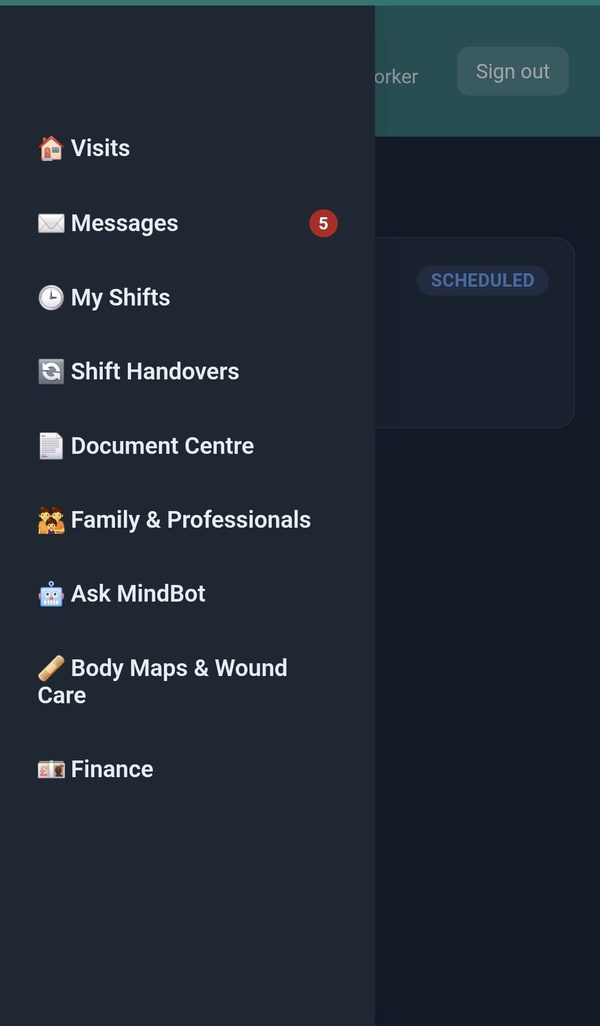
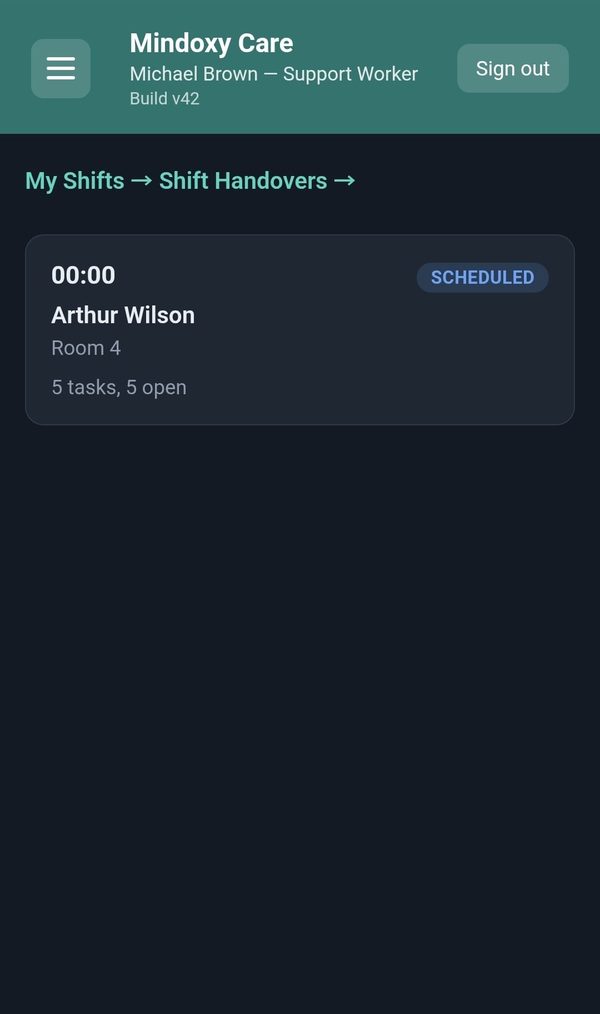
The mobile app for care staff
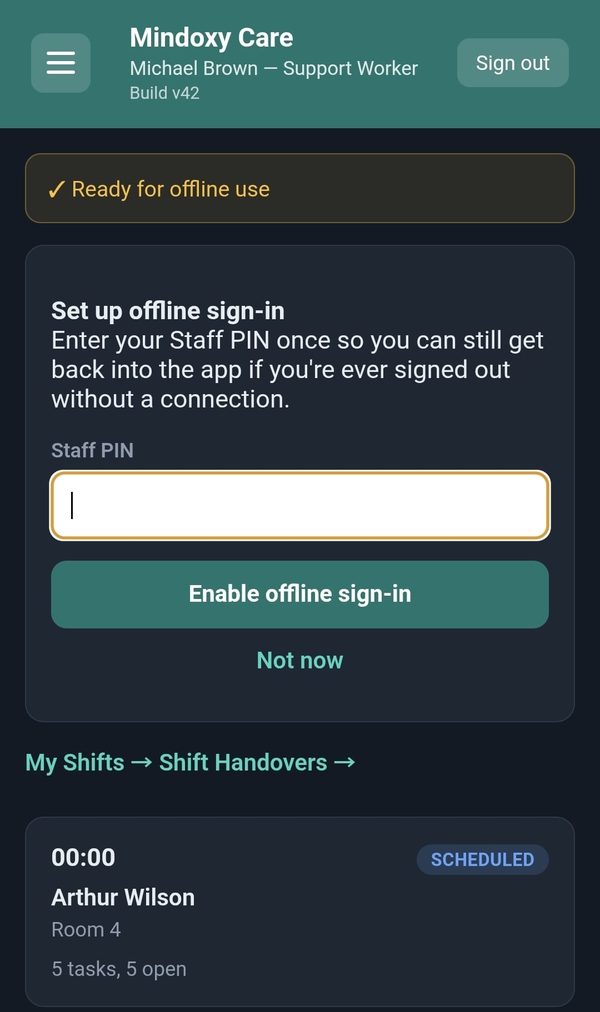
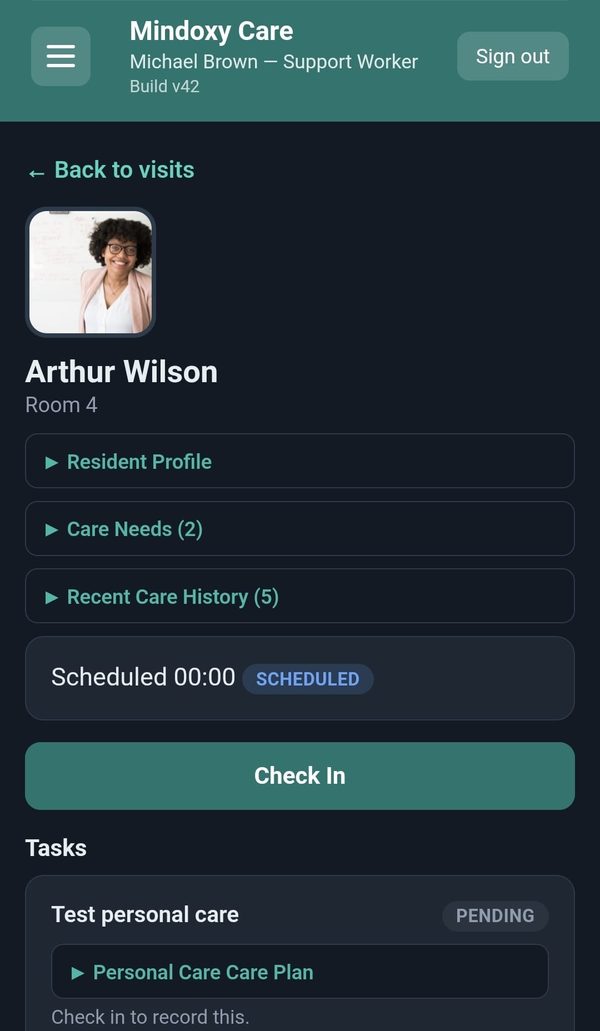
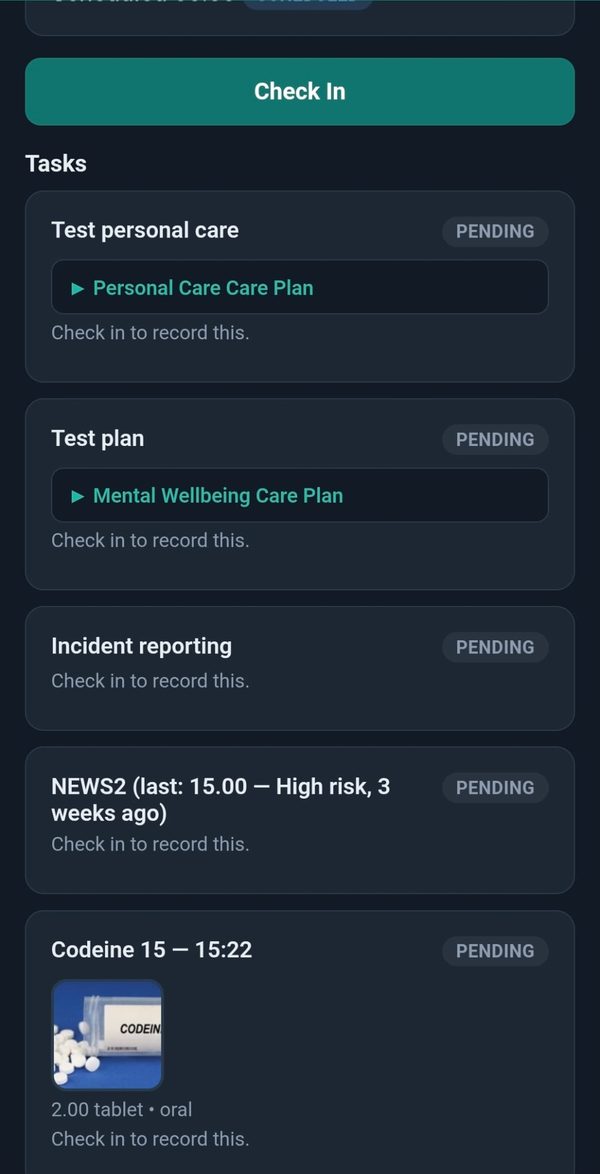
Carers check in, record care and give medication from their phone, and it keeps working when the signal drops.
Frequently asked questions
Quick answers to what care providers ask us most. Can’t see yours? Get in touch.
The basics
Who is Mindoxy Care for?
Residential care homes, home care (domiciliary) services and supported living. It is one platform that adapts to how each type of service works, so you only see what is relevant to you.
Do my team need special equipment?
No. Mindoxy Care works in a normal web browser on iPhones, Android phones, tablets and computers. Staff can also add it to their phone’s home screen so it opens like an app.
Does it work when the signal is poor?
Yes. Once staff are signed in and the app has loaded, they can keep checking in, working through tasks, adding notes and recording medication with no signal. Everything is saved on the device and sent automatically when the connection returns.
Visits and daily care
Can it be used for scheduled home care visits?
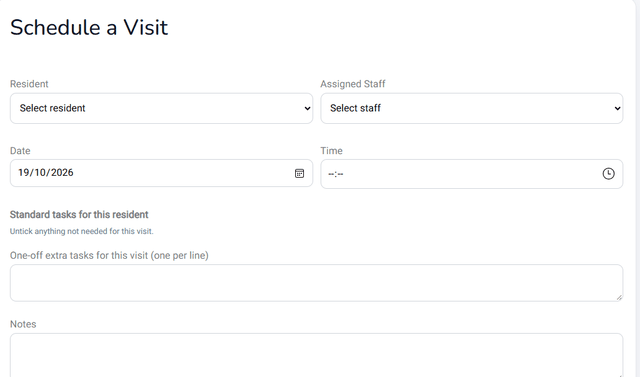
Yes. Each carer sees their visits for the day, checks in and out from their phone, and works through the tasks set for that visit, such as medication, care plan tasks, assessments, wound checks and incidents. Every task needs an outcome and a visit note is required before check-out, so nothing is left half done.
What can staff do with medication?
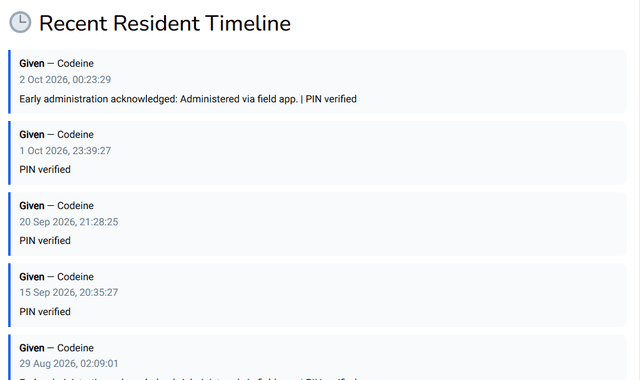
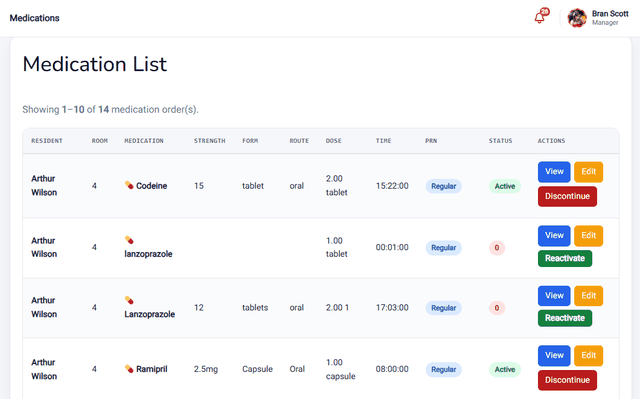
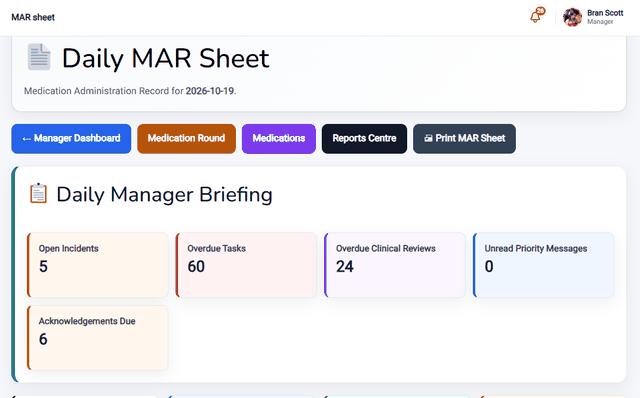
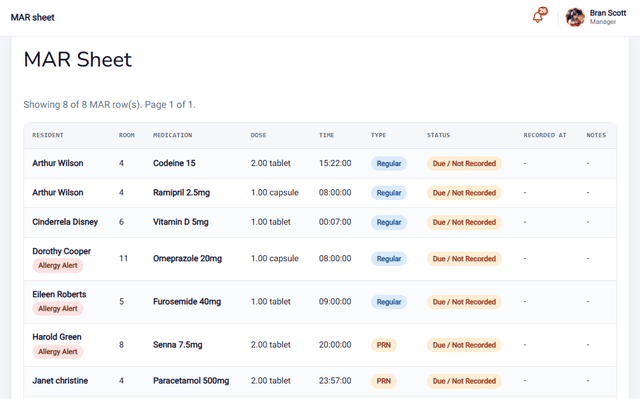
Give doses from the medication round or the MAR sheet and record each one as given, PRN given, refused, held, omitted or not available, confirmed with a personal staff PIN. The medication photo, dose details and allergies are shown alongside, and the system checks for duplicate doses and PRN intervals.
How do you keep track of medication stock?
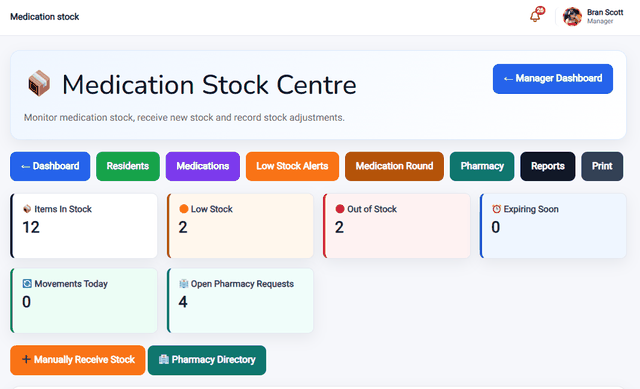
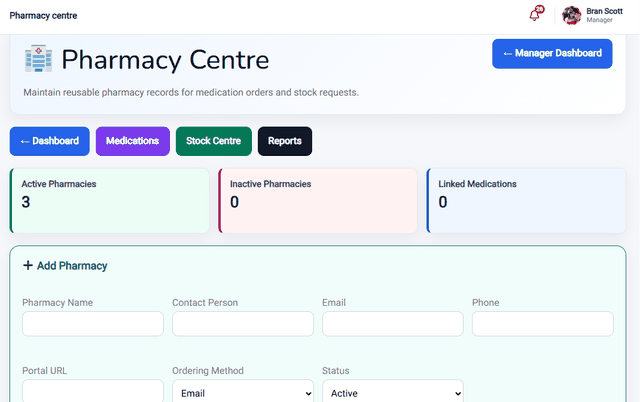
Stock is tracked batch by batch, with what was received, used and remaining, plus expiry dates and supplier. You get alerts for low stock (10 or fewer units), out-of-stock items and medication nearing expiry, and a pharmacy directory where you can raise requests for anything you have run out of.
Can we share tasks and handovers between shifts?
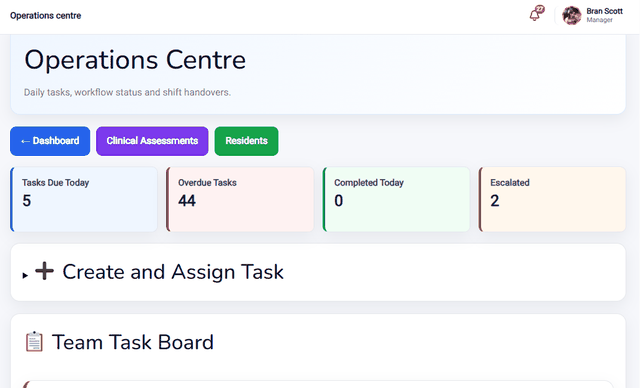
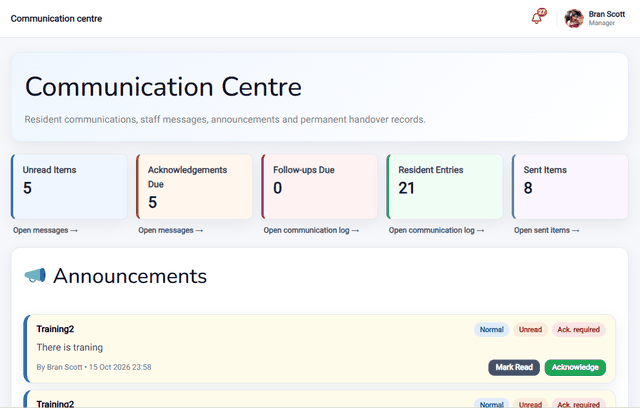
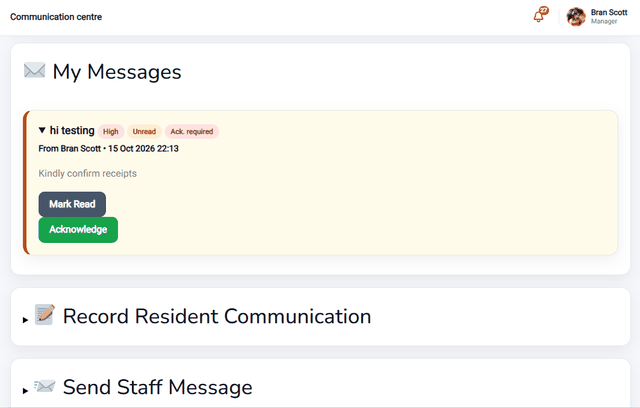
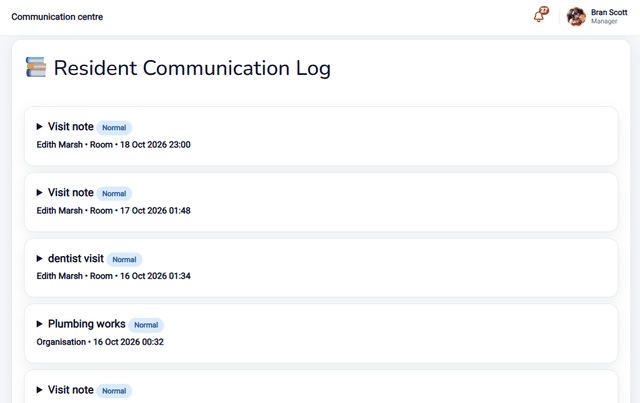
Yes. Managers can create and assign tasks with a priority, due time and repeat, to one person or the whole care team. The communication centre holds staff messages, announcements and permanent handover records, so the next shift knows exactly where things stand.
Clinical records and safety
Which clinical assessments are built in?
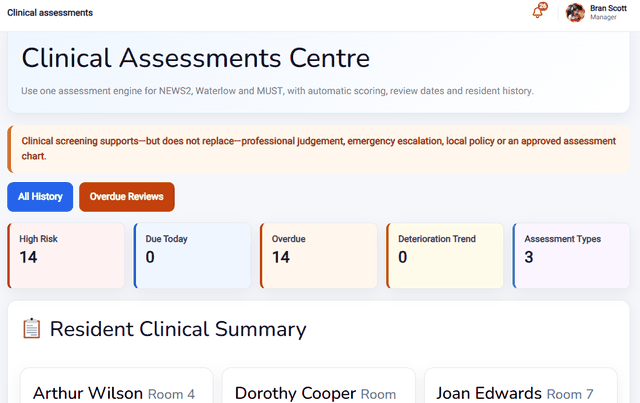
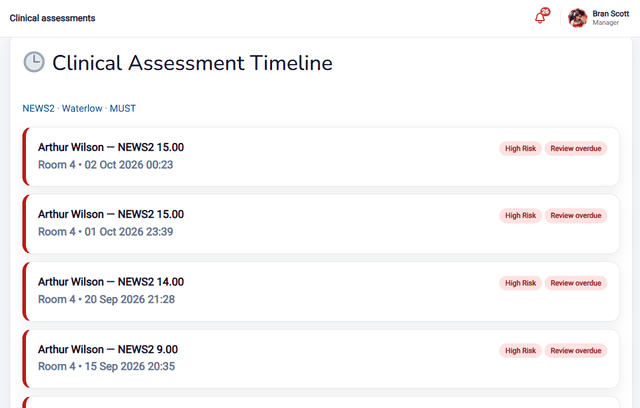
NEWS2, Waterlow and MUST, each with automatic scoring, review dates and a history for every resident. Medium and high-risk results alert managers, and staff see a clear risk banner straight away.
Can we record wounds and skin concerns?
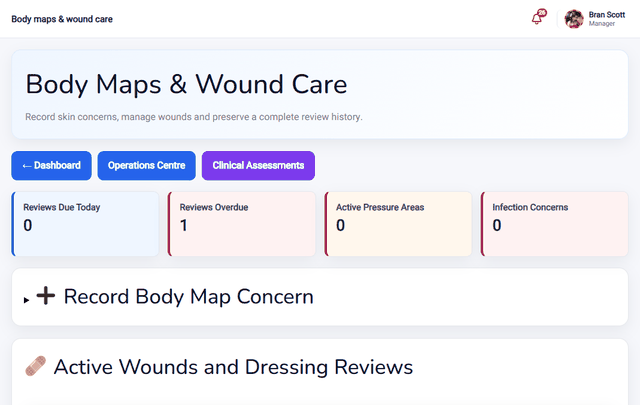
Yes. Body maps and wound care let staff record skin concerns, manage wounds and keep a complete review history.
Can we document behaviour-support incidents?
Yes, with an ABC (Antecedent-Behaviour-Consequence) chart – the standard format used in behaviour-support work. It is a per-service setting a senior manager switches on, so it only appears where it is actually needed.
How are care plans and reviews handled?
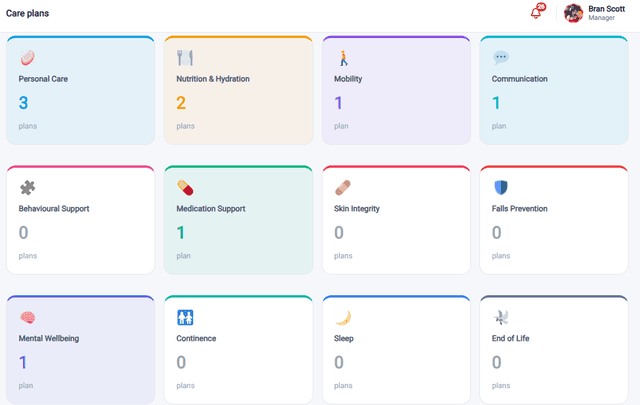
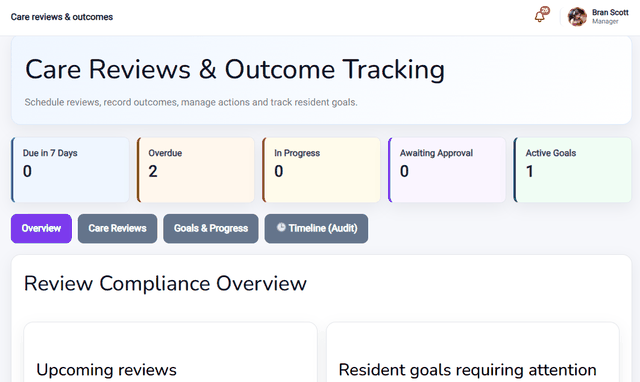
Person-centred care plans set out each resident’s needs, goals and what staff should do, and carers can read them during the visit. Care reviews can be scheduled, with outcomes recorded, actions managed and resident goals tracked.
How do incidents and safeguarding work?
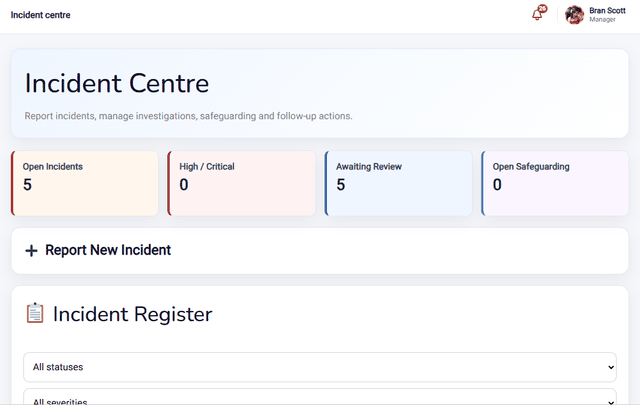
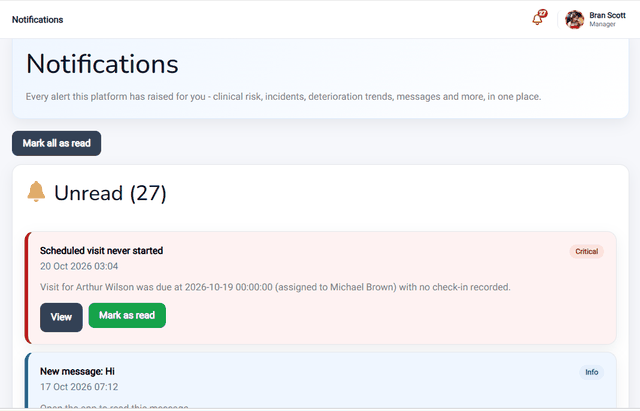
Staff can report an incident straight from a visit or from the incident centre. Managers are alerted to serious ones, and you can manage investigations, safeguarding concerns and follow-up actions in one place.
What is Ask MindBot?
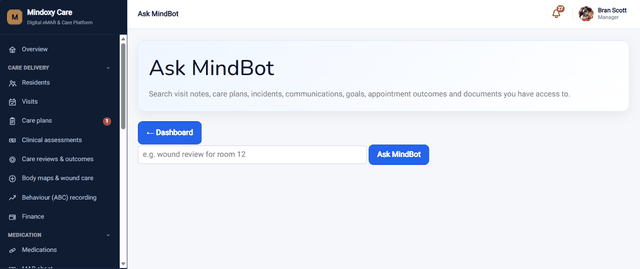
A search tool for your own records. Staff type a question in plain language and it searches visit notes, care plans, incidents, communications, goals, appointment outcomes and documents, showing only what that person is allowed to see.
Managing and overseeing your service
What can managers see at a glance?
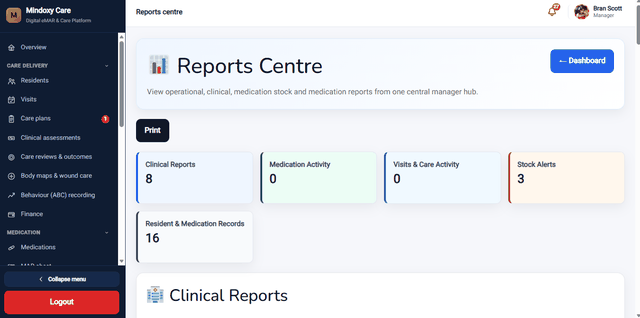
A live dashboard shows residents, high clinical risk, overdue reviews, medication outstanding and exceptions, low stock, overdue tasks, open incidents and safeguarding alerts. Daily reports can be filtered by date, resident or status, then exported to CSV or printed.
Can it manage residents’ personal money?
Yes, for services that help manage personal finances – purchases, top-ups and income are logged against each resident, with the running balance always calculated live from that record. Balance checks require a second staff member as witness, and any mismatch is flagged rather than quietly corrected.
How does staff scheduling, time and attendance work?
Care homes and supported living get a shift rota with reusable shift patterns and a staffing-level indicator, so an understaffed shift is visible at a glance. Home care gets a staff-day view built directly from visit assignments, with resident carer preferences and skill matching shown alongside. Staff clock in and out with break tracking, confirm their own weekly hours, and managers approve and export timesheets for payroll. Staff can request shift swaps (with manager approval), expiring DBS or training is flagged automatically, and lone workers on a home visit have a safety check-in with an automatic alert if nothing is heard from them. Everything checks for conflicts automatically, so the same person can never be booked for a shift and a visit at the same time.
Does it help with CQC inspections and audits?
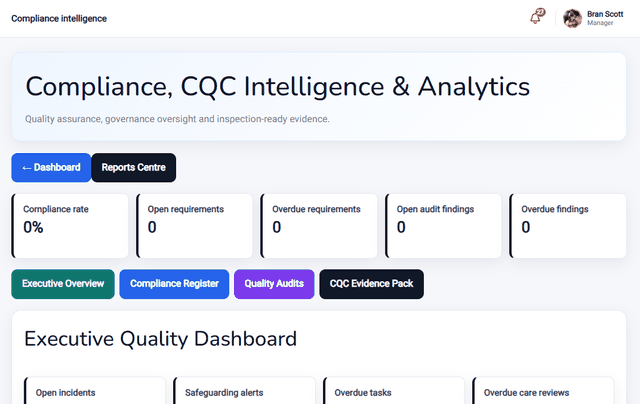
It gives you a compliance and CQC area with a compliance register, quality audits and an evidence pack, so the records inspectors ask about are easy to find. It supports your own quality processes, and it cannot guarantee any inspection outcome.
Where do we keep policies and resident documents?
In the document centre, which handles policies and resident documents with version control, staff acknowledgements and electronic signatures.
Can one organisation run several homes or services?
Yes. You can set up organisations and services, assign staff to them, and let senior managers oversee everything, while each team member sees only the service they work in.
Families, security and access
Can families see updates?
Yes, if you want them to. The optional family portal lets relatives who have given consent see visit updates and appointments and message your team. Sensitive clinical records such as medication logs and incident reports are not shown to families.
How is resident information kept secure?
Only approved accounts can sign in, and each person sees only what their role needs. Every action is recorded in an audit trail so you can see who did what and when, and all traffic uses an encrypted connection.
Can I control who sees what?
Yes. Each account has a role, such as support worker, team leader, manager, senior manager or administrator, and managers create staff accounts and assign roles, organisations and services. Families use a separate, much more limited account.
Getting started
How does getting started work?
Select Start Now and tell us about your service. We will get in touch to understand how you work, set up your secure account and the right access for your team, and help your team get going. There is nothing to install.
How much does it cost?
It is based on which features your service actually needs, not a flat one-size-fits-all package. When you select Start Now, you can pick the features relevant to your team and we will build a clear price around that.
Ready to get started?
Tell us about your service and we’ll set up your secure Mindoxy Care account.